GoHighLevel API Integration: Connect the Right Sub-Account
Check whether you need a built-in connection or custom API work. Agree the right sub-account, permissions, field rules and recovery before moving live records.
You want a new enquiry in GoHighLevel to create a booking or update another business app. First check whether a supported app or workflow action already does the job. Custom API work makes sense when the required operation is missing or the systems need rules a basic connection cannot handle. The connection must also target the right client sub-account, not just a valid login.
Things to check first
- Name the exact action on both sides: find a contact, update a field, create an appointment or change a status. Check each vendor's API and plan. A GoHighLevel API connection cannot add a write feature the other system does not offer.
- Check whether the request belongs at agency or sub-account level. HighLevel documents different token contexts. A working token for one account does not prove the request is going to the intended location.
- Identify the access method: a scoped Private Integration token or an OAuth app, as supported for the use. OAuth access has a refresh process; Private Integration tokens work differently. Keep tokens on the server and out of screenshots.
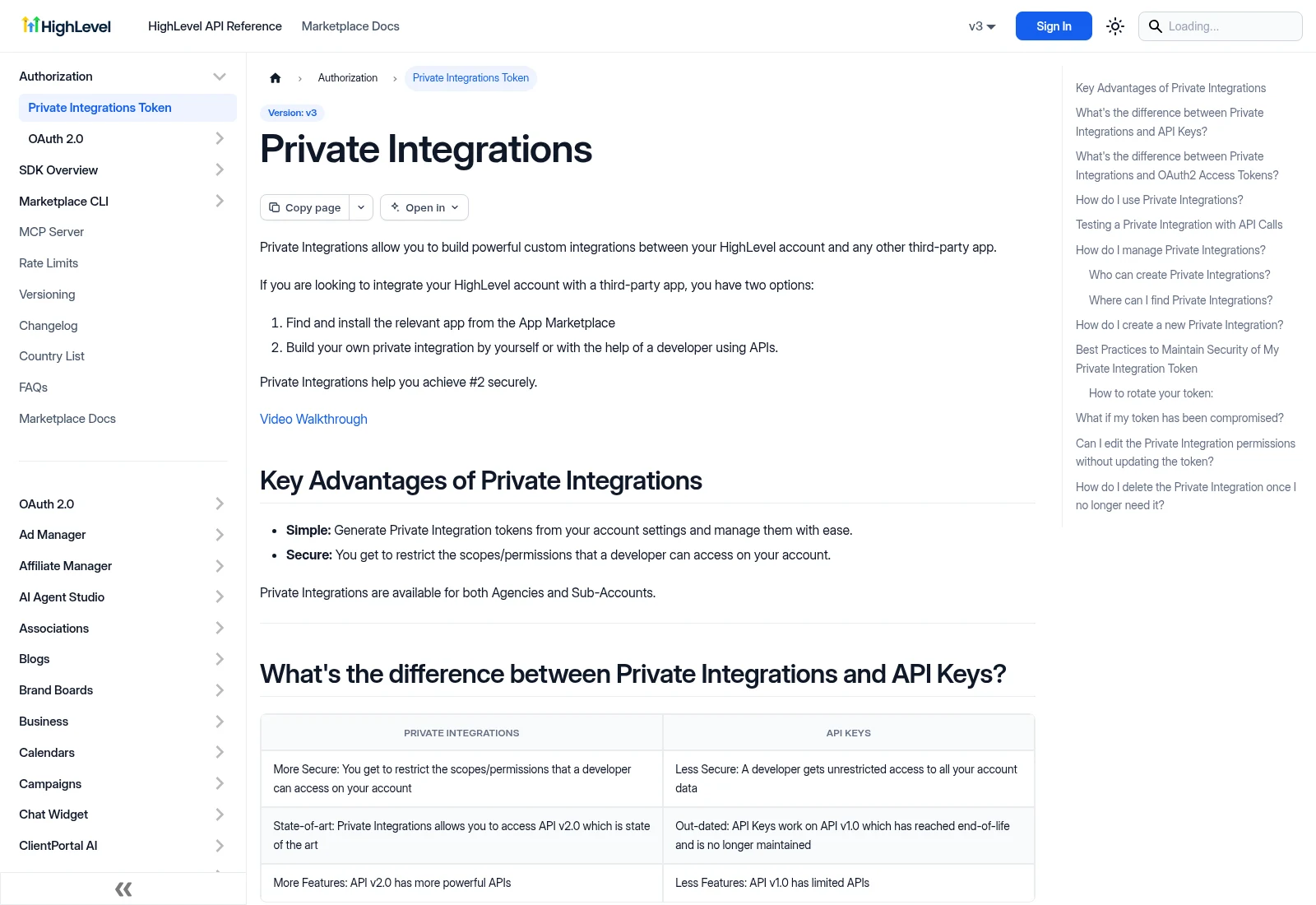
HighLevel documents private integrations alongside OAuth apps. Confirm the right account, permissions and endpoint for your job. Never place an access token in a screenshot or brief.
Documentation screenshot: HighLevel. Example screen; yours may look different.What to ask the freelancer to do
- Check built-in options and supported API actions
- Map fields to the correct HighLevel account
- Add supported access and retry handling
- Test record writes and document recovery
Questions to ask before hiring
- Could a built-in action do this without custom code?
- Which account and token context does each request use?
- How will retries avoid duplicate contacts or bookings?
Red flags
- Requests unrestricted access before agreeing the fields
- Assumes agency and sub-account tokens are interchangeable
- Promises a clinic integration without checking the clinic API
Agree what the job includes
- Map the source and destination fields and agree which system controls each. Keep a stable link between record IDs. Decide when to update an existing contact and when a genuinely new record should be made.
- Choose the supported access method and request only the permissions the job needs. Confirm the endpoint version, account context and secret storage. Test with a separate sub-account or controlled made-up records before allowing live writes.
- Handle repeated updates, temporary failures and the current API limits. A retry must not create a second booking or repeat a finished message. Follow rate-limit responses and stop with an alert when access or a required feature is unavailable, rather than endlessly retrying the same error.
What to send the freelancer
- Send the required business result, vendor docs and made-up field examples. Include the intended sub-account and calendars by name, without putting secret tokens in the brief.
- List existing workflows, apps and any matching rules that already change these records. Agree which notifications are blocked during testing.
- Name the account owner, test account and person responsible for errors after handover. Agree running costs and how access can be revoked.
How to check the work is done
- A new and an existing test record reach the intended sub-account with the right fields. No other client's records are read or changed.
- Duplicate messages, expired or revoked access and a temporary vendor failure have the agreed recovery path. A repeated booking request creates one appointment.
- The handover lists permissions, record links, endpoint versions, usage limits and the steps to inspect, pause and recover the integration.
What may cost extra
- A full CRM rebuild, campaigns and moving old records are separate jobs.
- The developer cannot bypass a vendor's access rules or make an unsupported clinic action available. New sub-accounts and new write actions need separate checks.
Sources checked 23 October 2026
- HighLevel: Scoped private integrations
- HighLevel: OAuth and account context
- HighLevel: API request limits
Use this guide to agree the work and check the result.
Common questions
Do I need OAuth for every HighLevel integration?
No. HighLevel also documents scoped Private Integration tokens. The right method depends on how the integration is installed and used. Check the supported permissions and account context for the exact job.
Can GoHighLevel connect to my clinic software?
Only if both sides support the required actions and access. A link that captures an enquiry is different from a connection that can safely write or move an appointment. Confirm those operations before ordering.
Build my freelancer brief
Answer a few questions to make a clear job description you can send to a freelancer.