Webhook Signature Verification Failed? What to Check
Check the signing secret, original request body and test or live endpoint. Fix rejected genuine messages while keeping fake requests out.
A webhook signature helps your app check who sent a message and whether its contents changed on the way. A failed check might come from the wrong secret, an altered request body or the wrong test setup. Removing the check makes the error disappear, but it can also let an untrusted request change your records. Find the mismatch instead.
Things to check first
- Confirm the sender, destination address and environment. A local test listener, a test account and a live endpoint may each have different signing secrets. Check where the current secret came from without copying it into a screenshot.
- Check the vendor's exact verification method. Stripe requires the original request body. Code that parses and rebuilds the JSON first can change the bytes, even when the message looks the same.
- Check the required signature header and any documented timestamp rules. A proxy, framework or workflow step may remove a header or change the body. Use a fresh vendor-generated test message, not an old production booking.
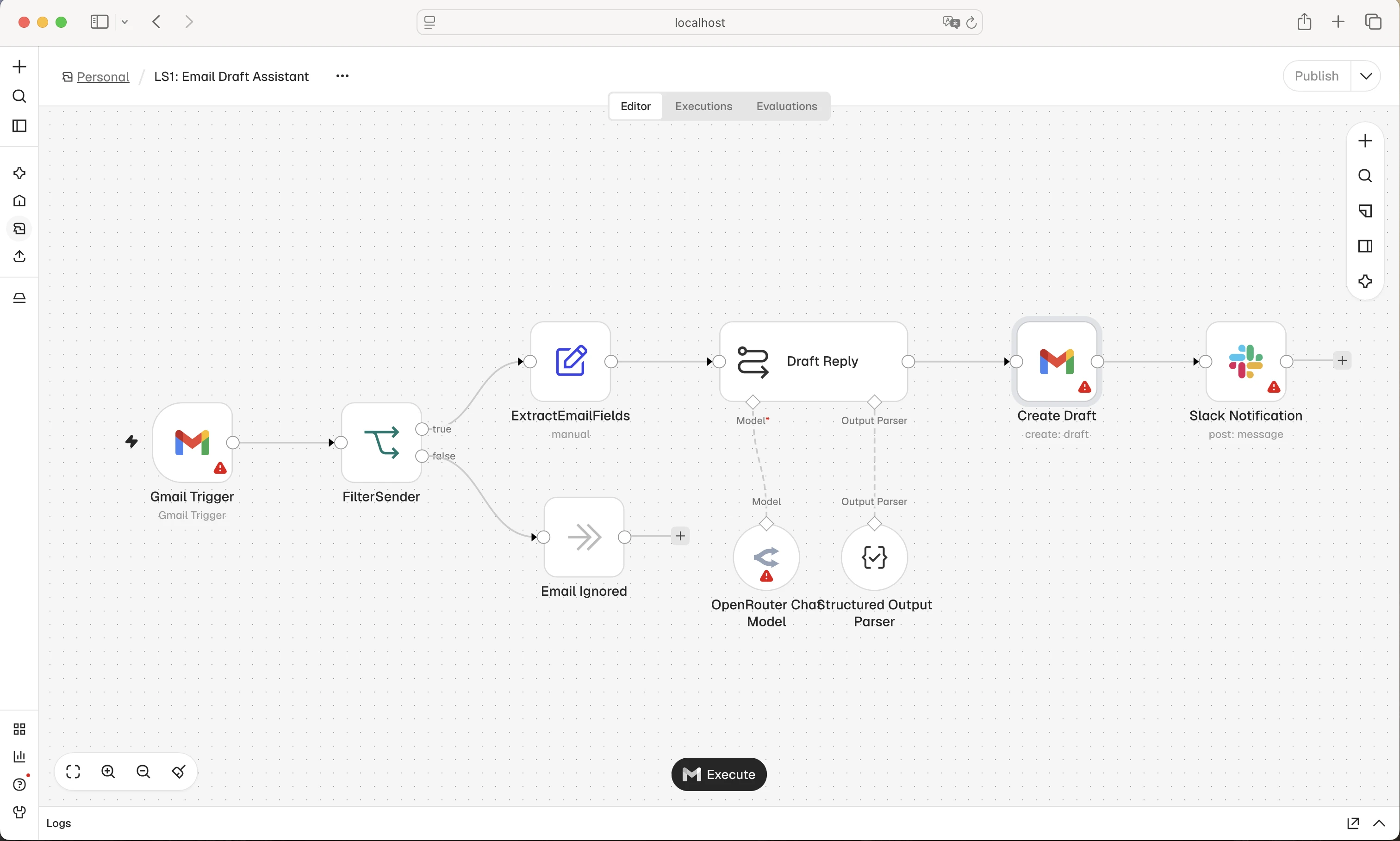
In a webhook workflow, verify the incoming message before it can change business records. This is a general n8n workflow example; it does not demonstrate a working signature check.
Screenshot: n8n. Example screen; yours may look different.What to ask the freelancer to do
- Check the sender secret, body and headers
- Repair the vendor signature check
- Test valid, changed and repeated messages
- Document secret rotation and failed work
Questions to ask before hiring
- Where do you read the unchanged request body?
- How will you test a fake or altered message?
- What happens after a valid message is accepted but processing stops?
Red flags
- Turns off verification on the live endpoint
- Uses the same assumed secret for every environment
- Logs the full secret or real booking payload
Agree what the job includes
- Follow the request from the public endpoint to the check. Use the vendor's supported verification library where available. Agree where the unchanged request body and headers are available before the app changes or maps fields.
- Check a valid test message, a changed message, a missing signature and an old message outside the sender's accepted time window, where that rule applies. Explain what the sender actually supports; not every webhook uses Stripe's signing method.
- Keep message verification separate from repeat handling. A genuine message can still arrive twice. After verification, save accepted work reliably before acknowledging it, then process it with a safe repeat-request rule. Do not treat a quick success reply as proof the booking was written.
What to send the freelancer
- Send the vendor docs, framework or workflow version and redacted error. Name any reverse proxy or middleware that handles the request.
- Use a test signing secret stored securely. Supply a test endpoint and made-up records with outgoing notifications blocked.
- Agree who can rotate a secret, when the change happens and how to restore service if the new secret is entered incorrectly.
How to check the work is done
- A genuine test message passes. A changed body, missing signature and wrong secret are rejected without changing a booking.
- Any documented timestamp check works. A repeated valid message does not repeat the business action, and accepted work survives a worker restart.
- The handover explains secret storage, rotation, safe logging and how to diagnose the next rejected message.
What may cost extra
- A signature check does not replace account permissions, data checks or protection against repeat actions.
- Building an entire booking system, a wider security audit and changing vendor signing features need separate scope.
Sources checked 23 October 2026
Use this guide to agree the work and check the result.
Common questions
Can I turn off signature checks while I fix it?
Keep the live check in place. Reproduce the fault with a separate test endpoint and made-up data. A receiver that accepts unverified messages should not be allowed to change real bookings.
Why does the JSON look right but the signature fail?
Some signing methods check the exact bytes sent, not just the meaning of the JSON. Parsing, changing spacing or rebuilding the body can break verification. Follow your sender's documented method.
Find help on Fiverr
Ready to hand it over? This freelancer offers help with the job covered in this guide. Look at their work and send them your brief to get a quote.
Muhammad Usman
@usmandev786 · FiverrPHP or Python webhook verification review
For a PHP or Python integration, this API listing is a developer to discuss the fault with. Confirm support for your sender’s signature library before ordering; no specific clinic or signature repair is independently verified.
The listing showed 201 reviews when checked. Reviews cover a range of jobs; they do not prove experience with your clinic software.
Before you hire: Ask how the original body is preserved and how changed or unsigned messages are rejected. Do not accept turning off verification as the fix.
View service on Fiverr ↗Listing checked 2026-10-23. We have not hired this freelancer or tested their work.
Build my freelancer brief
Answer a few questions to make a clear job description you can send to a freelancer.