Extract Data from PDFs with AI: Checks Before You Automate
Move fields from documents into a useful record without trusting every guess. Agree the file types, field rules, review queue and checks before data is sent onward.
Reading the total from a clean invoice is the easy demonstration. A real inbox also has blurred scans, credit notes, missing pages and different number formats. The job is not finished when text appears in a spreadsheet. It is finished when each required value is checked, linked to its source and either passed onward or sent to a person for review.
Things to check first
- List the actual document types and fields needed. Separate selectable-text PDFs from scans and handwriting. OCR means reading text from an image; it does not by itself prove that the right value was assigned to the right field.
- Make a small set of made-up files with normal and awkward examples. Include a missing value, a blurred scan, a different date format and the same document submitted twice.
- Decide what the destination may do with extracted data. A draft record for someone to check is different from posting to accounts or approving a payment. Start with the lower-impact step.
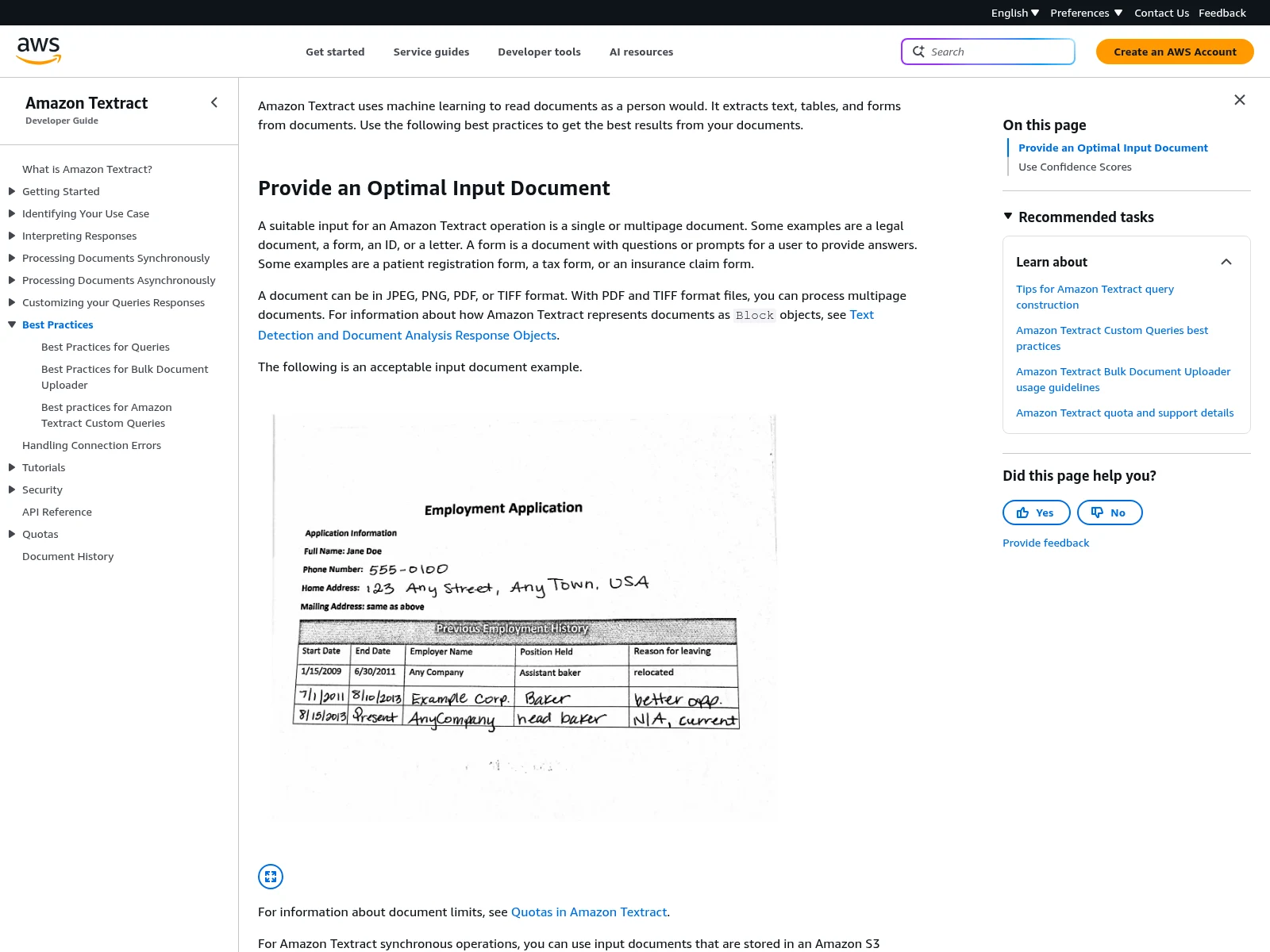
Amazon’s example mixes printed and handwritten fields. Agree which values your workflow must extract and when a person checks them. The example is not a real customer document.
Documentation screenshot: Amazon Textract documentation. Example screen; yours may look different.What to ask the freelancer to do
- Agree document types and required field rules
- Extract into draft records with source links
- Add review and repeat-file handling
- Report field results, failures and costs
Questions to ask before hiring
- How will we measure errors for each required field?
- What sends a document to a person for review?
- Can a repeated file or rerun duplicate or overwrite a record?
Red flags
- Promises perfect extraction from every document
- Checks that text exists but not whether fields are correct
- Posts uncertain amounts directly into a live business system
Agree what the job includes
- Agree what each field means and how it is checked. For an invoice, the date, supplier reference, net amount, tax and total have different rules. A plausible value can still be wrong. Keep a link to the source page so someone can check it.
- Use confidence scores where the chosen tool provides them, but do not use a high score as the only pass rule. Amazon Textract recommends choosing review thresholds to suit the use. Validate required fields and simple relationships too, and send uncertain or missing values for review.
- Test the route to the final draft record, including repeated files, incomplete documents and a failed destination. Keep document text from changing the workflow's instructions. Agree how corrected values are saved and whether a rerun can overwrite a person's correction.
What to send the freelancer
- Supply made-up examples matching the real layouts and a field list with expected results. Do not upload confidential invoices or identity records just to get a quote.
- Name the file source, destination, expected volume and review owner. State file-size and page-count needs.
- Agree where files are stored, who can see them and when test copies are removed. List the usage fees and a budget limit for the pilot.
How to check the work is done
- The held-back test files produce the agreed values or a visible review case. Missing values are not invented, and each output links to its source document.
- A repeated file does not create a second destination record. A failed write is recoverable, and a human correction is not silently overwritten.
- The report gives field-level results, failed examples, ongoing costs and review steps. Tests cover the document types actually included in the quote.
What may cost extra
- A successful demo on one layout does not cover every supplier, language or handwritten document.
- Accounting decisions, payment approval and rebuilding historical records are separate tasks. New layouts and extra integrations may need another quote.
Sources checked 23 October 2026
Use this guide to agree the work and check the result.
Common questions
Is OCR the same as AI document processing?
OCR reads text from an image. A full workflow also picks the required fields, checks their meaning and format, handles uncertain results and sends approved data to the destination.
Can I trust a high confidence score?
Treat it as one signal, not proof. A system can read a number clearly but choose the wrong number for a field. Use field rules, held-back examples and human review where needed.
More help: Source 1
Find help on Fiverr
Ready to hand it over? This freelancer offers help with the job covered in this guide. Look at their work and send them your brief to get a quote.
Serdar
@zserdarb · FiverrPDF and document extraction workflow
This listing offers PDF data extraction, OCR and AWS document workflows. A file conversion package is different from a full pipeline with review and destination writes. Agree the layouts and field checks first.
The listing showed 20 reviews when checked. Reviews cover a range of jobs; we have not independently tested this seller's work.
Before you hire: Ask for a test set with expected field values, a review queue and repeat-file handling. Confirm who checks uncertain values and pays cloud usage.
View service on Fiverr ↗Listing checked 2026-10-23. We have not hired this freelancer or tested their work.
Build my freelancer brief
Answer a few questions to make a clear job description you can send to a freelancer.