Calendar API Overwrites Changes? Keep New Edits Safe
Stop an old booking update from undoing a newer change. Check which app owns each field and how the API detects a record that changed since it was read.
Reception moves a visit to 11am. A few seconds later, an old sync job puts it back to 10am. Both apps may have done exactly what their code told them to do. The fault is that the second app sent an old copy without checking for a newer edit. Another common problem is sending a full record when you meant to change one field.
Things to check first
- Compare the appointment ID in both systems. Make sure the sync is updating the existing booking rather than finding it by a name or start time that may have changed.
- List the fields the request sends. Does a time change also send old notes, an empty attendee list or an old room? Read the API's update rules before assuming missing fields will stay untouched.
- Check when the job read the record and when it wrote the update. Ask whether the API supports a version check, such as an ETag. This is a label that lets the server spot that the record changed in between.
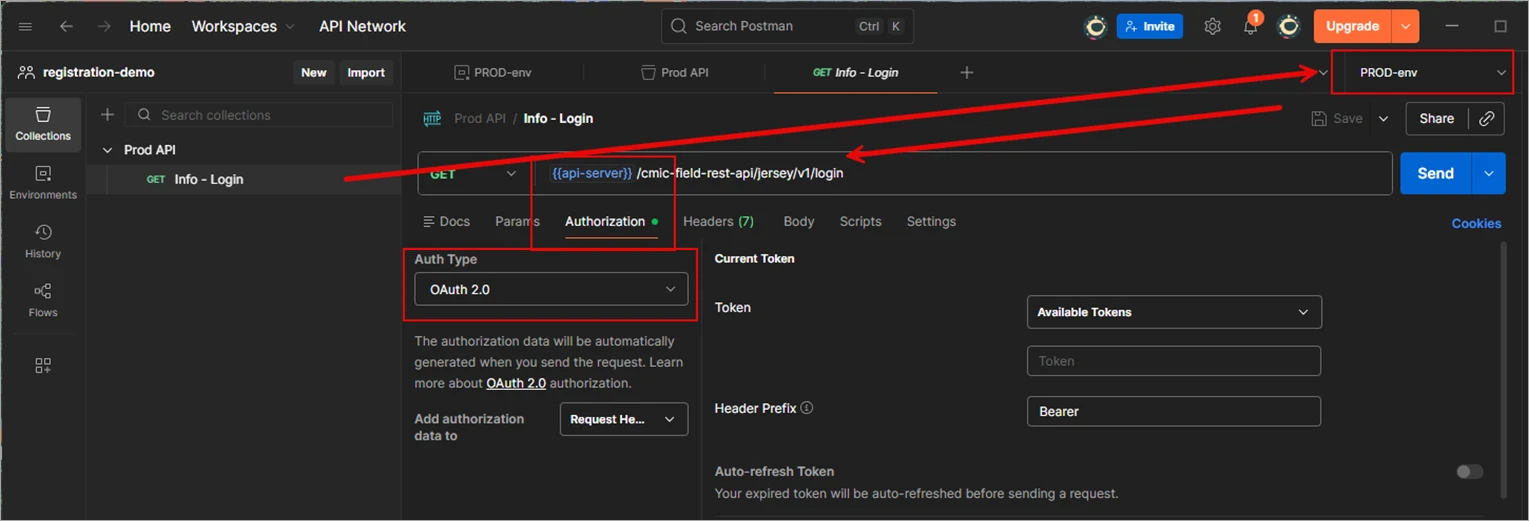
A developer can use a request tool such as Postman to inspect what the app sends. This CMiC access example is not a calendar update; the field and version checks depend on your API.
Screenshot: CMiC Postman guide. Example screen; yours may look different.What to ask the freelancer to do
- Agree which app controls each field
- Use the supported update and version checks
- Test a newer edit arriving during an update
- Document conflicts and remaining vendor limits
Questions to ask before hiring
- How do you spot a newer edit before writing?
- Which fields can this integration change?
- What happens when staff and the app edit the same booking together?
Red flags
- Lets the last arriving message always win
- Sends the whole old record for a one-field change
- Removes version checks to make an update succeed
Agree what the job includes
- Create a field-by-field rule. For example, reception controls the appointment time while the website can add an external booking reference. Decide which edits should win and which need a person to review them.
- Use the vendor's supported update method. Google Calendar's events.update replaces the event resource. Its docs describe reading the event and using its ETag to protect the update. A partial update also needs care: supplying an array can replace the old list.
- When a version check fails, fetch the new record and apply the agreed rule. Do not simply resend the stale copy. If the vendor has no version check, explain how the design reduces the risk and where manual review is still needed. Reading twice alone does not close the gap between a read and a write.
What to send the freelancer
- Send a made-up before-and-after example showing the edit that should have stayed. Include record IDs and times, with private details removed.
- List which people and tools can change each field. State whether syncing in both directions is truly needed.
- Agree test records and a copy of the current setup. Do not use patient notes to demonstrate a lost-field problem.
How to check the work is done
- An old test update cannot silently undo a newer staff edit. A conflict is either handled by the agreed rule or held for review.
- Changing one allowed field preserves the other fields, including lists such as attendees. A deleted booking is not recreated by an old update.
- The handover lists field ownership, conflict handling and any remaining risk in the vendor API.
What may cost extra
- Recovering lost historical notes or deciding which past edit was correct needs a separate review.
- Adding full two-way sync, new fields or another booking system is extra scope. A vendor without safe update controls may require a different workflow.
Sources checked 23 October 2026
- Google Calendar: Update an event
- Google Calendar: Protect newer changes
- Google Calendar: Handle API errors
Use this guide to agree the work and check the result.
Common questions
Will using PATCH stop every overwritten change?
No. PATCH can limit which fields you send, but a stale value can still overwrite a newer value. You also need the API's supported version checks and a rule for handling conflicts.
What does a 412 error mean in Google Calendar?
It can mean the version used for a conditional update no longer matches. Read the current event and handle the changed record. Repeating the old request without checking can undo someone else's work.
Find help on Fiverr
Ready to hand it over? This freelancer offers help with the job covered in this guide. Look at their work and send them your brief to get a quote.
Zack R
@zackreynolds · FiverrGoogle Apps Script and Calendar help
A fit to explore if your Calendar sync runs through Google Sheets or Apps Script. This listing includes managing Calendar events and API work. It is not a general backend-repair package.
The listing showed 100 reviews when checked. Reviews cover a range of jobs; they do not prove experience with your clinic software.
Before you hire: Ask whether the quote includes version checks, preserving other fields and a staff-edit conflict test. Confirm current availability.
View service on Fiverr ↗Listing checked 2026-10-23. We have not hired this freelancer or tested their work.
Build my freelancer brief
Answer a few questions to make a clear job description you can send to a freelancer.