Page Not Indexed by Google? Check What Is Blocking It
Check a missing page in Search Console, separate crawl blocks from other indexing issues and know what a fix can prove.
A page being live does not mean Google has indexed it. First check the exact URL, including its final address after redirects. Search Console can tell you what Google last found and whether it chose another version. The aim is to find a real cause, not keep pressing Request indexing without changing anything.
Things to check first
- Inspect the exact preferred URL in the correct Search Console property. Read the reported reason and the date of the last crawl.
- Run the live test and compare it with the indexed report. A live pass checks the current page; it does not mean the page is already in Google.
- Check the page response, noindex setting, robots.txt rules and canonical URL. Make sure useful internal links point to the preferred URL.
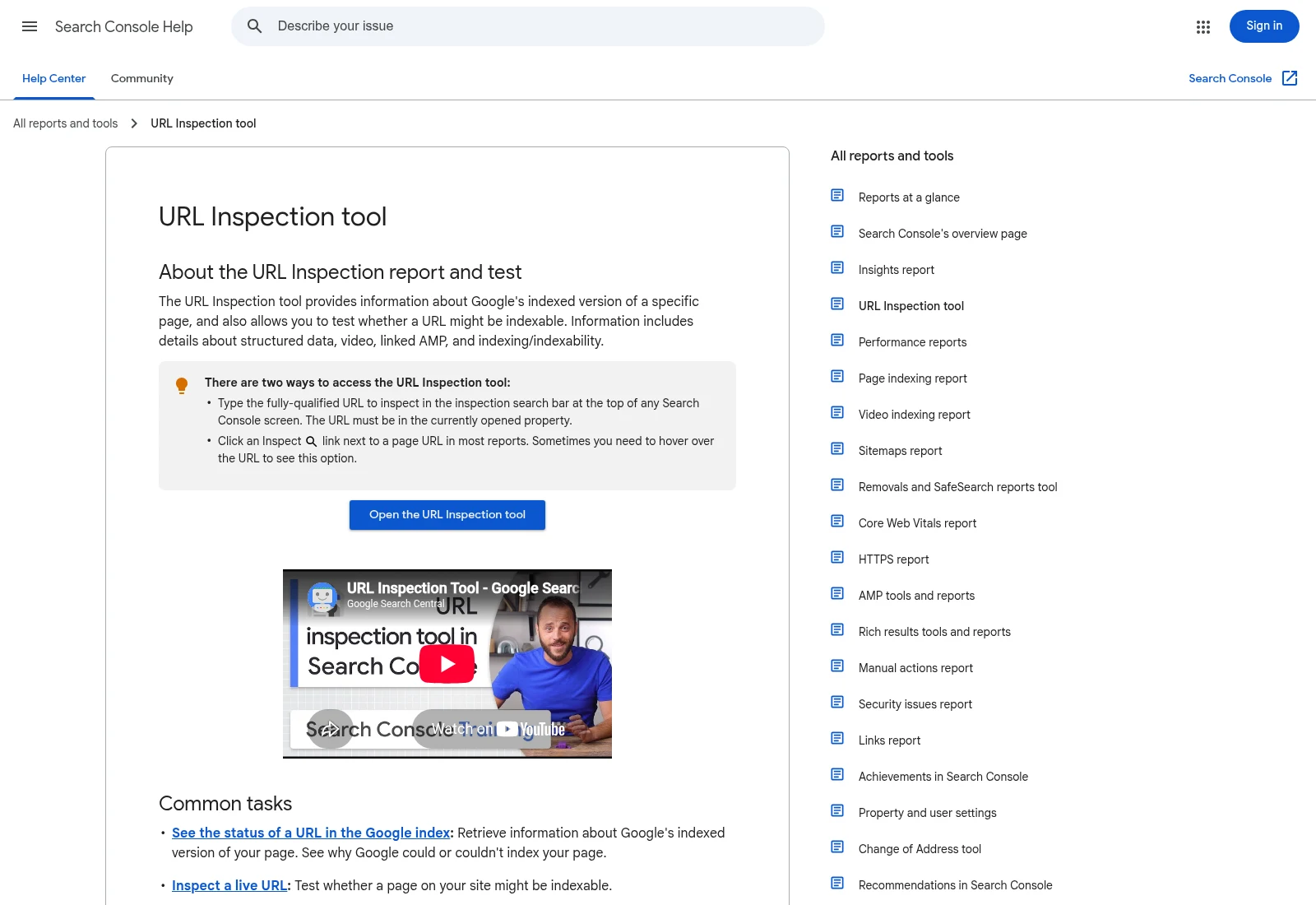
Google’s help page explains URL Inspection. This is public documentation, not a Search Console report for your website.
Documentation screenshot: URL Inspection tool - Search Console Help. Example screen; yours may look different.Read the reason before changing settings
A page with noindex needs a different fix from a URL that redirects elsewhere. A duplicate may be represented by another page. Ask whether this URL should have its own place in search before removing a deliberate exclusion.
If Google has discovered a URL but not crawled it, check how it is linked and whether the server is reliable. If it crawled but did not index the page, inspect the content and competing versions too. There may be no single technical switch to turn on.
Use a small set of checked examples
Choose a few affected URLs from the same template and one page that works. Compare status codes, visible content, canonical links and search settings. This helps separate a site-wide template mistake from a problem on one page.
After fixing a confirmed issue, update internal links and the sitemap where needed. Request another check where appropriate and record the date. Google decides when to crawl and index; neither an agency nor an indexing tool can promise inclusion.
What to ask the freelancer to do
- Find the reported reason for missing pages
- Fix confirmed technical search blocks
- Record checks and the next follow-up
Questions to ask before hiring
- What does Search Console say about these exact URLs?
- Is this a technical block or a content and duplicate-page issue?
- What can you verify today, and what needs Google to revisit the page?
Red flags
- Guarantees indexing in a fixed time
- Requests indexing repeatedly without checking the cause
- Removes every noindex rule, including private pages
Agree what the job includes
- Inspect representative URLs and explain the reported reason in plain English.
- Fix confirmed search blocks or conflicting URL signals within the agreed site access.
- Document tests, request a fresh check where appropriate and define follow-up work.
What to send the freelancer
- Share exact affected URLs and Search Console invitations with suitable permissions.
- List recent domain, CMS, URL or search-setting changes.
- Mark which pages should be public and provide one similar page that is indexed.
How to check the work is done
- The agreed technical blocks are removed and the preferred URLs have consistent settings and links.
- A current live test and page checks are recorded, with dates and remaining limitations.
- You know what changed, what Google has not yet rechecked and who will monitor it.
What may cost extra
- Guaranteed inclusion or a fixed indexing deadline is outside anyone’s control.
- Rewriting weak content, removing manual actions and repairing a hacked site may need separate work.
Sources checked 2026-10-24
- URL Inspection tool - Search Console Help
- How to Specify a Canonical with rel="canonical" and Other Methods | Google Search Central | Documentation | Google for Developers
Use this guide to agree the work and check the result.
Common questions
Does passing a live URL test mean the page is indexed?
No. The live test checks the current page. The indexed report shows what Google has stored, and some indexing decisions are not covered by a live test.
Should I remove robots.txt blocks to fix every missing page?
No. First find out why a page is blocked and whether it should be public. Removing rules blindly can expose pages you intended to keep out of search.
Build my freelancer brief
Answer a few questions to make a clear job description you can send to a freelancer.