 Shopify
Shopify Store Not Showing on Google? First Checks
Check whether Google can find your Shopify pages, see their index status and plan focused fixes without promises of instant rankings.
A store can be open to shoppers and still be hard to find in Google. First separate two questions: has Google indexed the page, and does it rank for the search you care about? Indexing means Google has included a page in its search system. Ranking is where it appears for a particular search. Submitting a sitemap may help Google discover pages; it does not promise a position or a deadline. Check one important product or collection page before paying for a large SEO package.
Things to check first
- Open the exact page in a signed-out browser. Check whether it is public or behind the store password. Keep an unfinished store private until you are ready to launch it.
- Open the correct domain in Google Search Console and inspect that page’s full address. Read the given reason if it is not indexed.
- Check the store’s sitemap.xml file and its submission status in Search Console. Shopify generates the sitemap; do not buy another app just to create one.
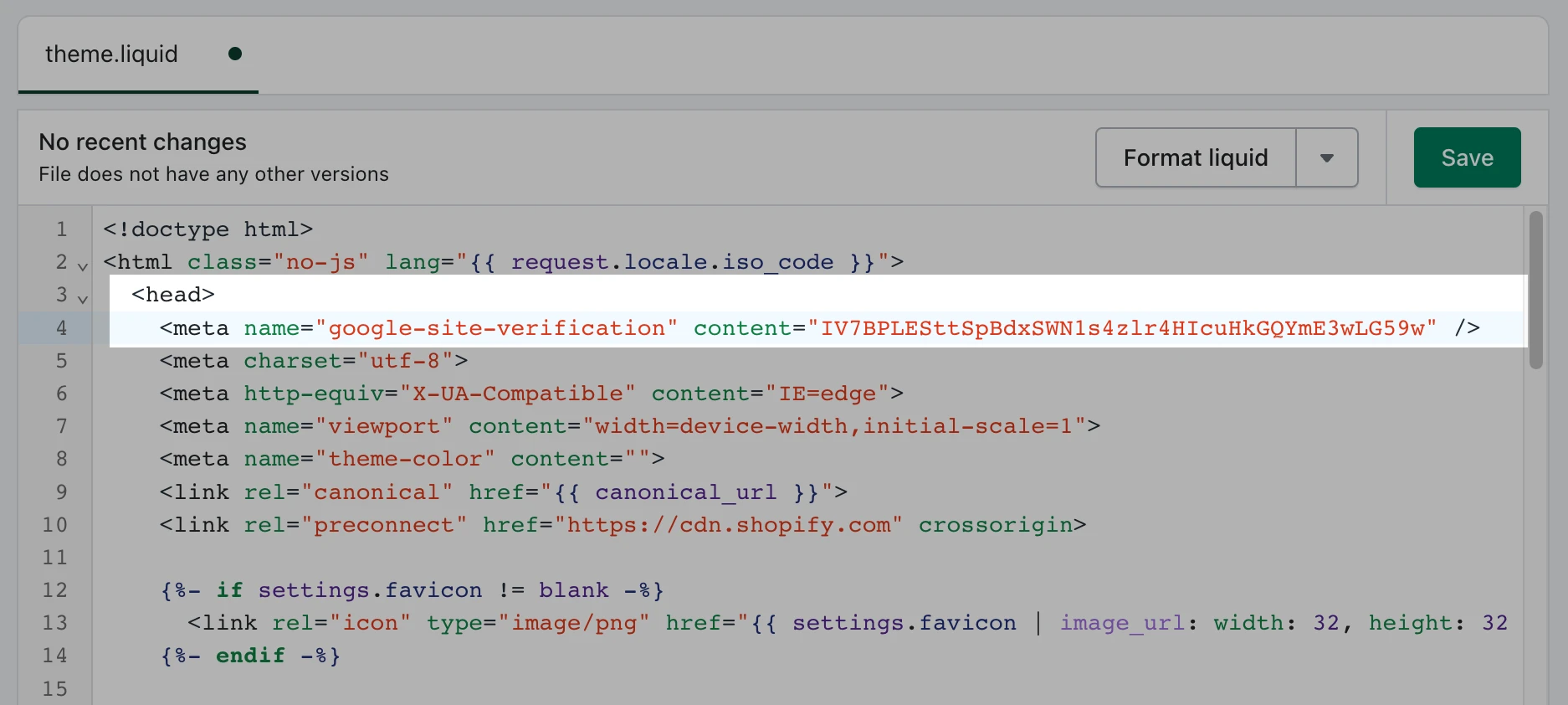
Shopify’s example shows a site-verification tag in a theme file. It proves ownership for a Search Console property; it does not make a page rank. Use Shopify’s current guide before changing code.
Screenshot: Shopify. Example screen; yours may look different.What to ask the freelancer to do
- Inspect the agreed pages in Search Console
- Check the sitemap and main domain
- Fix confirmed page and link issues
- Record tests and remaining limits
Questions to ask before hiring
- Is the page missing from the index or simply ranking poorly?
- Which URLs and changes does the quote cover?
- What evidence will show the technical fix worked?
Red flags
- Guarantees first place in Google
- Sells a sitemap app without checking the existing file
- Adds the same keywords to every page
Agree what the job includes
- Agree a small list of important URLs and the searches they should answer. Store discovery and a product’s search ranking are different goals.
- Ask for evidence of each fault, the proposed change and a check afterwards. Titles, links and page content should help a shopper understand the page.
- After a migration or domain change, check old links and the main store domain together. Do not add redirects at random or remove blocks from pages meant to stay private.
What to send the freelancer
- Supply the domain, example URLs, Search Console notices and any recent domain or theme changes.
- List pages you deliberately keep out of search, such as test pages. Give the specialist appropriate account access rather than your personal login.
- Agree which code or app changes need approval and keep a copy of the theme before work begins.
How to check the work is done
- The agreed pages are public when intended, use the right main address and can be followed from useful store links.
- Each reported technical fault has a recorded fix and a repeatable check. Any remaining Google indexing decision is explained honestly.
- You receive a short list of changed titles, links, redirects or settings and the next review date.
What may cost extra
- Google decides what it indexes and ranks. No freelancer can guarantee a position or an indexing date.
- Writing a full product catalogue, running ads and long-term link building are separate work.
Sources checked 23 October 2026
Use this guide to agree the work and check the result.
Common questions
Does submitting my Shopify sitemap guarantee indexing?
No. It helps Google discover your pages, but Google still decides whether and when to index them. Use Search Console to investigate specific pages.
Should every version of a product URL be a separate SEO page?
No. Choose the useful main page and check how Shopify handles its other addresses. Making many near-identical pages can make the store harder to manage without helping shoppers.
Find help on Fiverr
Ready to hand it over? This freelancer offers help with the job covered in this guide. Look at their work and send them your brief to get a quote.
Walter
@codestorepro · FiverrFix Shopify indexing and Search Console issues
Walter offers help with Shopify pages missing from Google, sitemap errors, blocked pages and wrong page links. The service includes checking affected pages and making the agreed technical fixes, rather than only sending a report.
Before you hire: Send the affected page links and Search Console messages. Agree the page count and ask for a record of the fixes. Google decides when pages appear in search.
View service on Fiverr ↗Listing checked 2026-10-23. We have not hired this freelancer or tested their work.
Build my freelancer brief
Answer a few questions to make a clear job description you can send to a freelancer.