 Shopify
Shopify Theme Customisation: Changes & Hiring Guide
Need a new page section, different layout or small design change? Hire someone for the changes you need without paying for a full rebuild.
A Shopify theme controls how your store looks and how pages are laid out. Some changes are already possible in the theme editor; others need code. Show the exact change you want with a marked-up screenshot or a clear example. That makes a small job easier to price and helps avoid an unwanted redesign.
Things to check first
- Check whether the theme editor already has the setting or section you need.
- Write down the pages affected and show what you want changed.
- Save a copy of the current theme before anyone edits code.
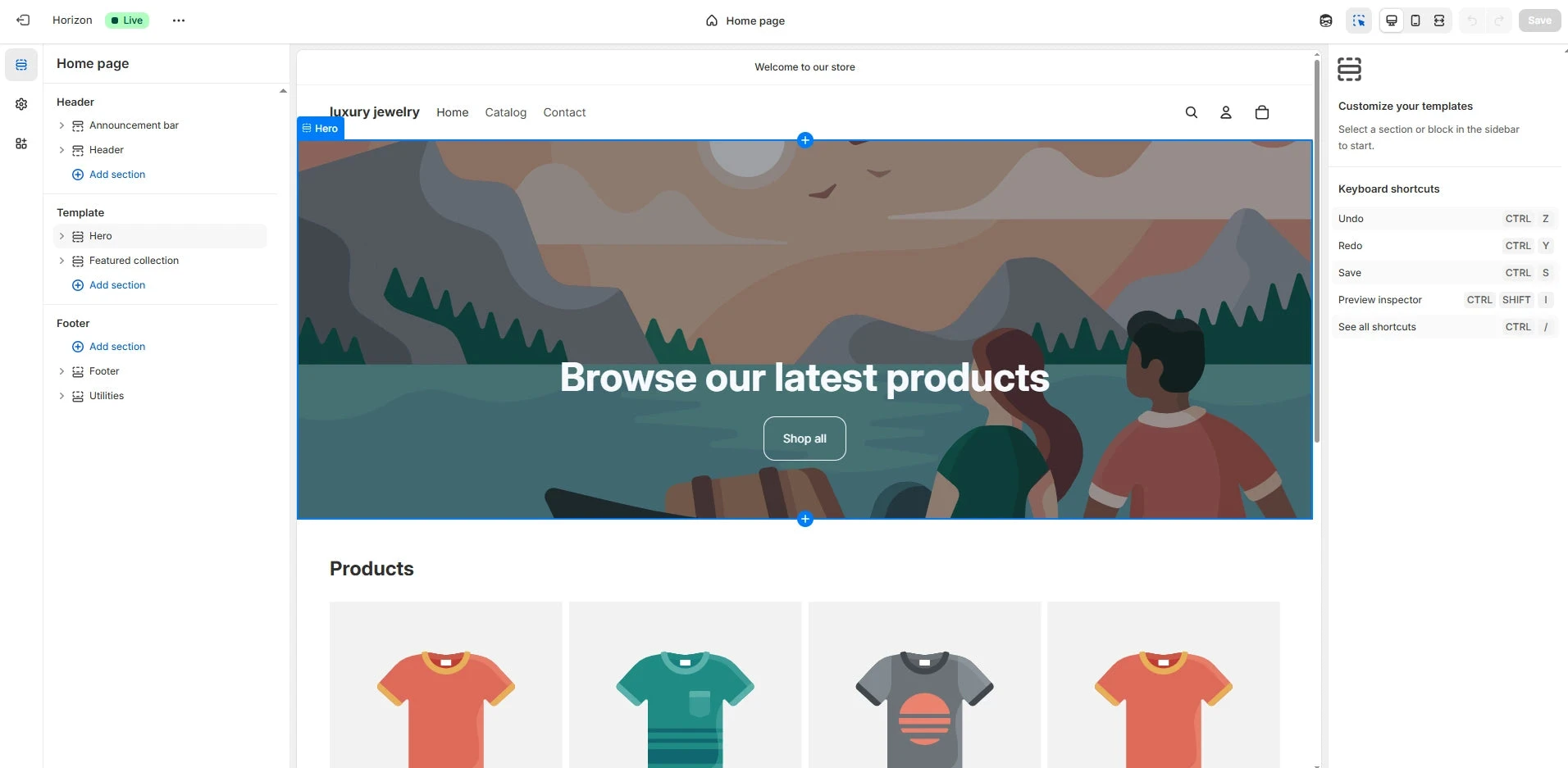
Check the theme editor first. You may already be able to change the section, picture or layout you need without paying for custom code. Shown here in GemPages’ Shopify guide.
Screenshot: GemPages. Example screen; yours may look different.What to ask the freelancer to do
- Agree the exact design changes
- Build them in a theme copy
- Check phones and key pages
- Explain any custom code
Questions to ask before hiring
- Will you use a copy of the theme?
- Which pages will change?
- How will later theme updates affect this?
Red flags
- Edits the live theme without a backup
- Cannot say where code was changed
Agree what the job includes
- Agree the exact sections and page types included. A change to every product page is different from one custom page.
- Ask the developer to work in a copy of the theme and show a preview first.
- Agree how the change will be checked on phones and how future theme updates may affect it.
What to send the freelancer
- Share your theme name, page links and screenshots showing the desired result.
- Provide the text and pictures the new section needs.
- Agree who approves the preview and when the change can go live.
How to check the work is done
- The agreed design appears on the correct pages and works on phones and computers.
- Menus, product options, cart buttons and relevant apps still work.
- You get notes on the code changed and a copy of the previous theme.
What may cost extra
- A new brand, full redesign or paid theme costs extra unless agreed.
- New app features need their own plan.
Sources checked 22 October 2026
Use this guide to agree the work and check the result.
Common questions
Do all Shopify layout changes need a developer?
No. Check whether your theme editor already has the setting or section you need. Code may be needed for changes your theme does not support.
Should a freelancer edit my live Shopify theme?
Ask them to work in a copy and show you a preview first. Check phones and the affected pages before approving publication. Keep the previous theme so you can restore it if needed.
More help: Source 1
Find help on Fiverr
Ready to hand it over? This freelancer offers help with the job covered in this guide. Look at their work and send them your brief to get a quote.
A. Bhatti
@bhattibhai86 · FiverrShopify theme changes and custom sections
Bhatti offers Shopify theme changes, custom sections and coding work. This is a useful next step when you know how you want the store to look but need a developer to make it work on phones and computers.
Before you hire: Send screenshots of the changes you want. Agree the pages, a copy of the current theme, phone checks and a checkout test before the work goes live.
View service on Fiverr ↗Listing checked 2026-10-23. We have not hired this freelancer or tested their work.
Build my freelancer brief
Answer a few questions to make a clear job description you can send to a freelancer.