 Shopify
Custom Shopify App Development: Plan the Right Build
Need Shopify to do a job that existing apps cannot handle? Plan a custom app with a clear price, test plan and owner.
A custom Shopify app adds a feature or handles a job for your store. It might send orders to another system or apply a special business rule. First check whether a ready-made app can do the job. Custom work also needs hosting, updates and someone to fix it later, so the build price is only part of the cost.
Things to check first
- Write down the task in everyday steps, including what starts it and the result you need.
- Check existing Shopify apps for the same job and note what they cannot do.
- List the store information the app needs and who will maintain it after launch.
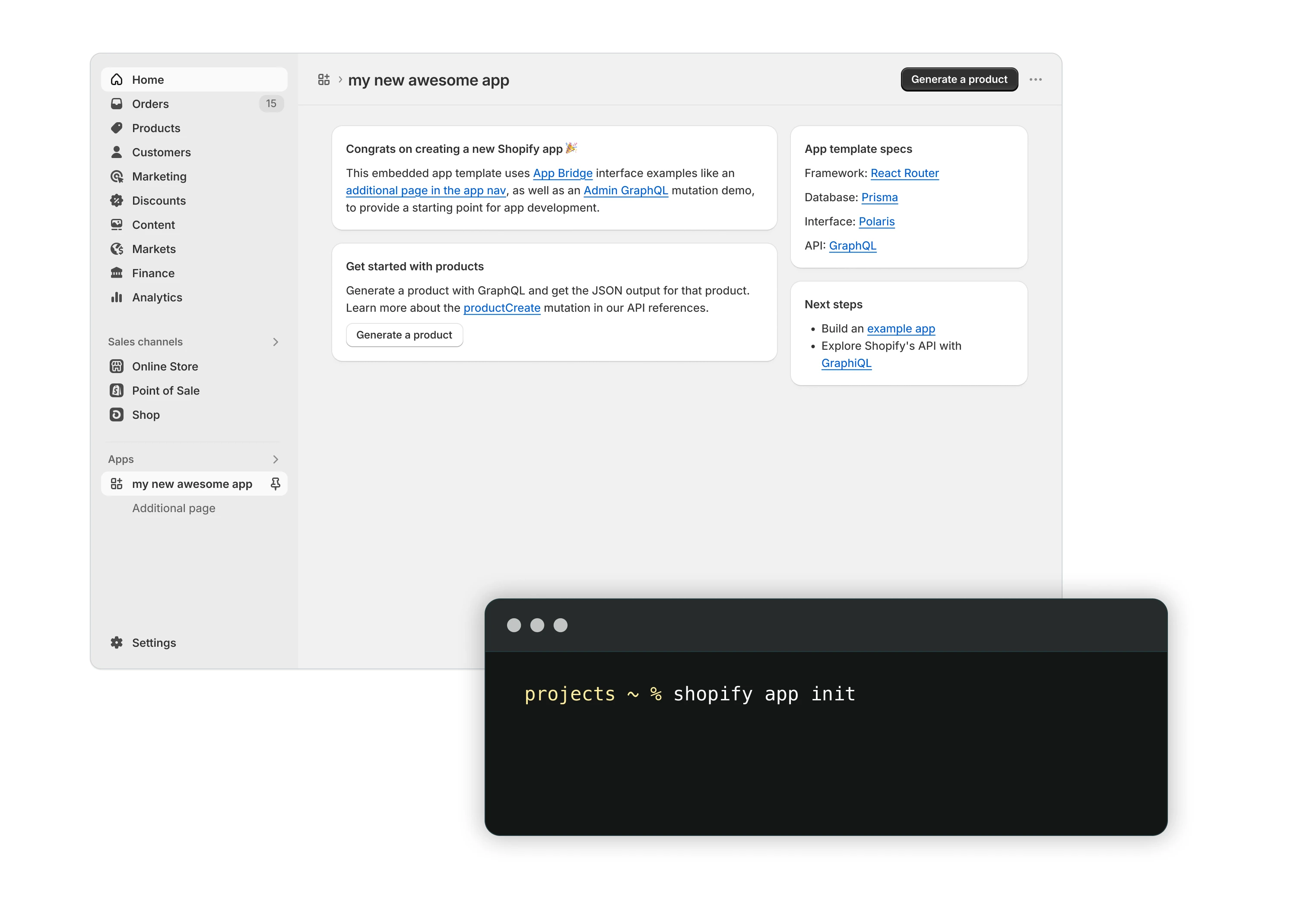
A custom app can add tools inside Shopify. This is Shopify’s starter example. Before paying for a build, explain the job it must do and check whether an existing app can do it.
Screenshot: Shopify. Example screen; yours may look different.What to ask the freelancer to do
- Write a clear feature plan
- Plan how the app connects to Shopify
- Build the agreed features
- Test access and error cases
- Hand over code and setup notes
Questions to ask before hiring
- Do I really need a custom app?
- What information and permissions does it need?
- Who will maintain it and what will that cost?
Red flags
- Suggests a custom build without checking existing apps
- Has no plan for ownership or support
Agree what the job includes
- Agree the features, stores and other systems the app must support. Keep extra ideas on a separate list.
- Ask the developer to explain account access, where the app runs and its monthly costs.
- Plan tests for normal use, missing information and a failed connection. Agree how you will be told when something breaks.
What to send the freelancer
- Share examples of the task, the apps involved and the volume of orders or records.
- Use made-up records for planning. Arrange account access separately.
- Agree code ownership, hosting, support costs and who can approve launch.
How to check the work is done
- The app completes the agreed task with the expected result.
- The agreed error cases give a clear message and do not add orders or records twice.
- You receive the code, setup notes, account ownership and a support plan.
What may cost extra
- Extra features, new stores and ongoing support need a clear price.
- An app cannot remove Shopify’s own account or platform limits.
Sources checked 22 October 2026
Use this guide to agree the work and check the result.
Common questions
When is a custom Shopify app worth considering?
Start with a specific job that existing apps do not handle well. Compare the build price, ongoing hosting and future support with the cost of a suitable ready-made app.
Is a customer phone app the same as a custom Shopify app?
No. This guide covers adding tools and jobs connected to Shopify. An iPhone or Android shopping app has a different plan. Tell the developer which type you mean before asking for a price.
Find help on Fiverr
Ready to hand it over? This freelancer offers help with the job covered in this guide. Look at their work and send them your brief to get a quote.
Awais Shopify
@awais0062 · FiverrCustom Shopify apps and app connections
Awais offers custom Shopify apps and connections to other business tools. His listing includes order and customer tools, stock systems and automatic updates between apps. Send a short brief so he can quote for the feature you need.
Before you hire: Check whether an existing app could do the job first. Agree code ownership, hosting costs, account access and support after launch.
View service on Fiverr ↗Listing checked 2026-10-23. We have not hired this freelancer or tested their work.
Build my freelancer brief
Answer a few questions to make a clear job description you can send to a freelancer.