 Shopify
Moving to Shopify: Store Migration Checklist
Plan a move to Shopify without losing track of products, customer records and important page links. Know what the move does and does not include.
Moving a store involves more than copying products. You may also need customer records, old orders, page content, payment settings and links from your old site. Some details may not transfer. List what must move before buying a package, then check a small sample before moving everything.
Things to check first
- List your current store platform and the parts you want to keep.
- Count products, product options, customers and old orders. Check important apps and subscriptions too.
- Save the addresses of pages that bring visitors or sales. Those old links need a plan for reaching the right new page.
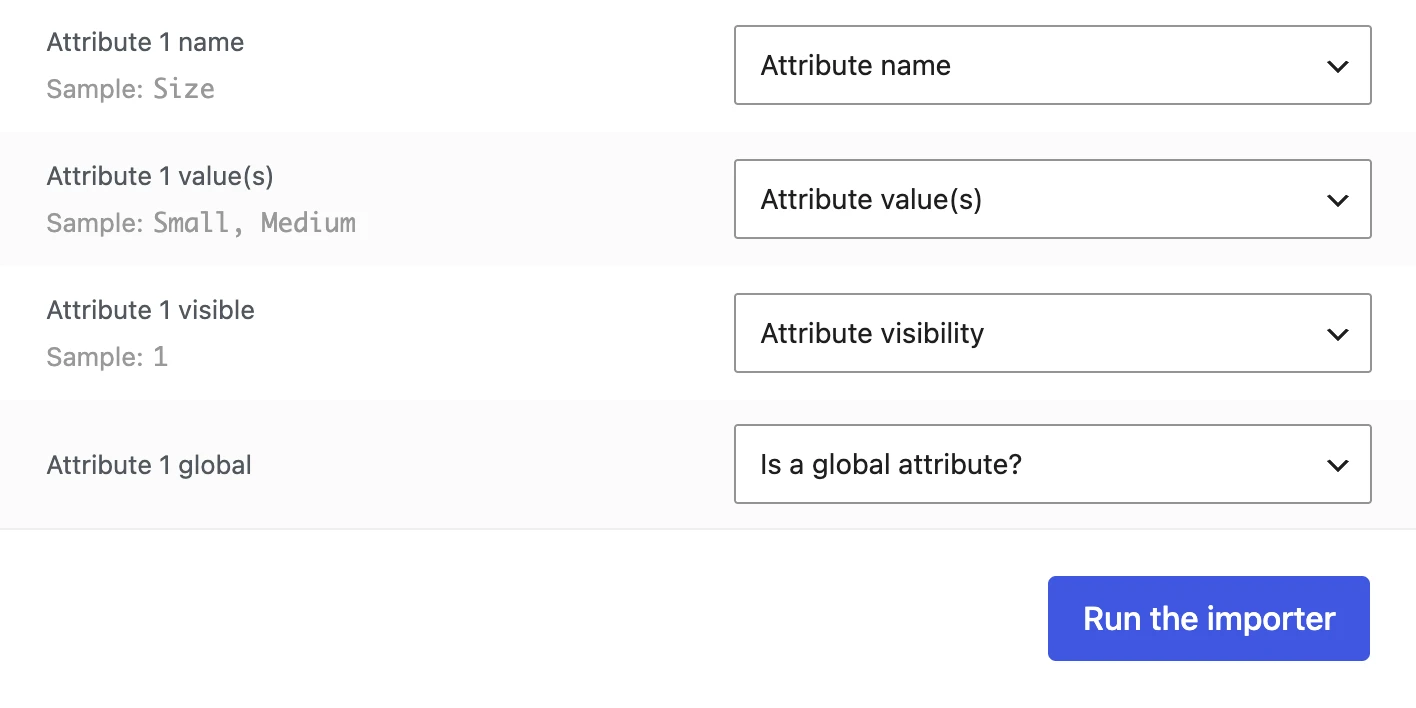
Store moves often involve files of product records. This WooCommerce example shows how columns are matched to product details. On a move to Shopify, check the target fields and a small sample before copying everything.
Screenshot: WooCommerce. Example screen; yours may look different.What to ask the freelancer to do
- Plan what will move
- Move the agreed products and customer records
- Set up old-to-new page links
- Check theme and app needs
- Test before launch
Questions to ask before hiring
- What will and will not transfer?
- What happens to old page links?
- How will you check the records and test checkout?
Red flags
- Has no plan for old links
- Claims every old detail will transfer automatically
Agree what the job includes
- Mark each part as move, rebuild or leave behind. Check support for subscriptions, gift cards, reviews and app records separately.
- Try a sample move. Check pictures, options and prices before copying the rest.
- Agree how old page addresses will send visitors to new pages. Plan when the new store opens and who approves it.
What to send the freelancer
- Share the old platform, record counts, markets and languages.
- List must-have features and apps with no clear Shopify replacement.
- Agree who controls the domain, when store changes will pause and who can approve launch.
How to check the work is done
- The agreed record counts match, and samples have the right pictures, options, prices and details. Missing items are listed.
- Old important links reach the right new pages. Menus, cart, payments, shipping and emails are tested.
- You receive a launch checklist and clear notes on anything that could not move.
What may cost extra
- Do not assume passwords, subscriptions or specialist app records can transfer.
- A full redesign and ongoing search work need a separate price. Search rankings and zero downtime cannot be guaranteed.
Sources checked 22 October 2026
Use this guide to agree the work and check the result.
Common questions
Can every old store detail move to Shopify?
Do not assume so. Check products, options, customers, orders, subscriptions and app records separately. Test a small sample and list anything that needs rebuilding or cannot move.
What happens to old links when I move to Shopify?
Important old page addresses should lead to the relevant new pages. Ask for a list of those links and test them before launch. Keeping links working does not guarantee unchanged Google rankings.
Find help on Fiverr
Ready to hand it over? This freelancer offers help with the job covered in this guide. Look at their work and send them your brief to get a quote.
Nayem Pixel
@nayem__pixel · FiverrMove a store to Shopify
Nayem offers store moves from WooCommerce, WordPress and GoDaddy to Shopify. His listing covers products, images and store setup, with customer records and old page links included in larger packages. Send your current store details for a quote.
Before you hire: Confirm the starting platform, product count, order history and old links covered. Agree a test order and a plan for orders placed during the move.
View service on Fiverr ↗Listing checked 2026-10-23. We have not hired this freelancer or tested their work.
Build my freelancer brief
Answer a few questions to make a clear job description you can send to a freelancer.