 WooCommerce
WooCommerce Checkout Not Working? Checks & Fixes
Is your cart or checkout stuck, showing errors or refusing orders? Find the cause and test a fix without putting real customers’ payments at risk.
A spinning checkout, missing delivery option and declined card can have different causes. Start with what the shopper sees. Does it affect every order, one product or one payment method? A declined card can be a bank or payment account issue rather than a website fault. The repair needs to match the actual problem.
Things to check first
- Write down the failing steps, exact error and which products or payment methods are affected.
- Note recent changes to payment, delivery, checkout or speed plugins.
- Agree a test order using the payment provider’s test mode where available. Do not make real charges just to see what happens.
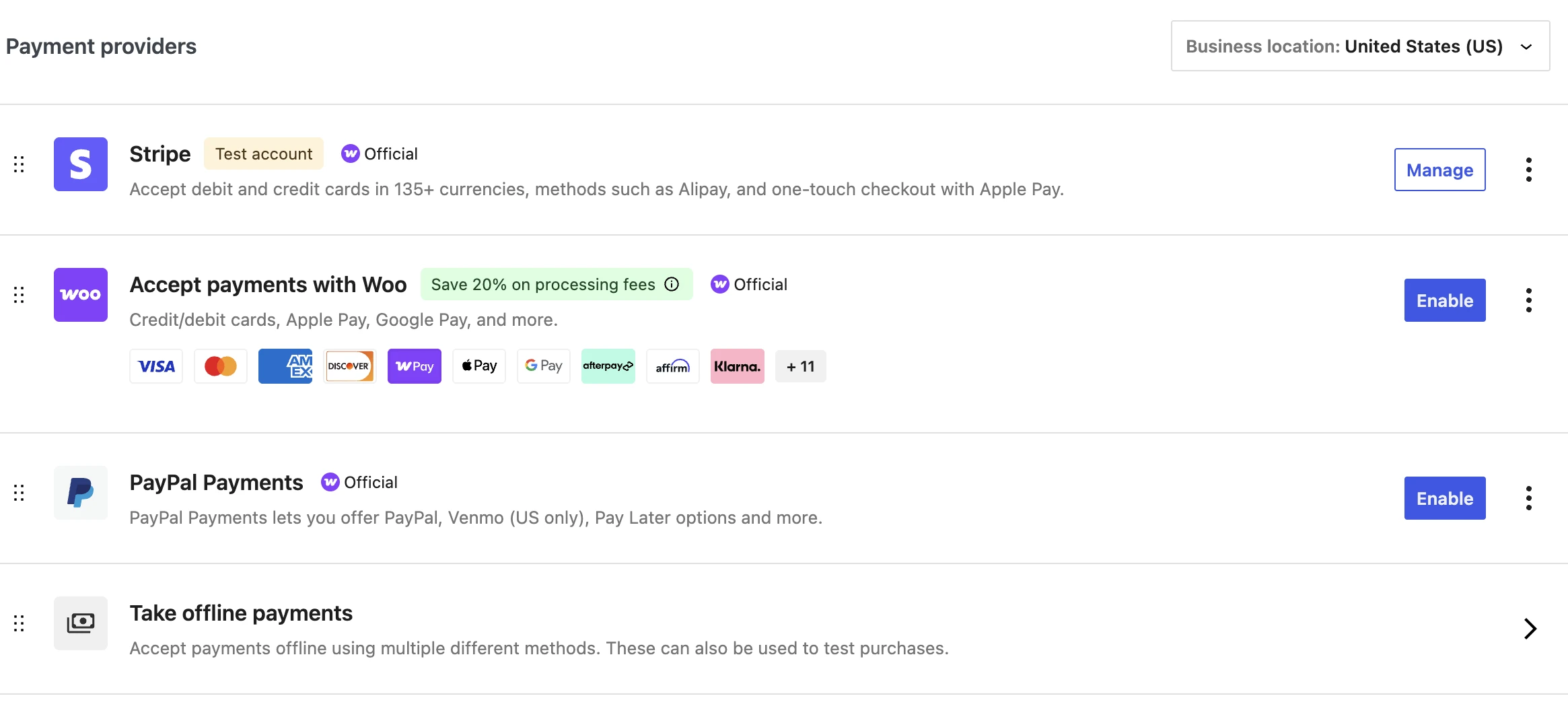
Check whether the problem affects one payment method or every order. This WooCommerce screen shows where payment providers are managed. Agree safe tests before changing live payment settings.
Screenshot: WooCommerce. Example screen; yours may look different.What to ask the freelancer to do
- Repeat the checkout fault
- Check errors and recent changes
- Test plugin and theme clashes safely
- Fix the agreed cause
- Check orders, stock and emails
Questions to ask before hiring
- Does this affect all orders or one payment or delivery method?
- Can tests use test mode?
- How will you avoid extra charges, emails or stock changes?
Red flags
- Tests real payments without asking
- Treats every declined card as a website bug
- Leaves important plugins switched off to make checkout work
Agree what the job includes
- Repeat the failure with the affected product, delivery option and payment method.
- Check error records and test likely plugin or theme clashes on a copy of the site.
- After the fix, follow a whole test order. Check payment result, order status, stock and emails.
What to send the freelancer
- Send the steps, error screenshot and whether all shoppers are affected.
- List recent updates and relevant payment or delivery plugins.
- Agree test products, how test orders will be removed and who can change live payment settings.
How to check the work is done
- The failed order type and other agreed order types now finish correctly.
- Totals, delivery costs, payment result, stock and emails are correct, without unwanted repeats.
- Ask for a short note explaining what broke, what changed and what was tested. It should also tell you how to undo the changes.
What may cost extra
- The developer cannot approve your payment account or fix a bank’s decision to decline a card.
- A new checkout design or wider sales project needs a separate price.
Sources checked 22 October 2026
Use this guide to agree the work and check the result.
Common questions
Why does my WooCommerce checkout keep spinning?
The checkout may not be finishing a request it needs. Save the error, note the product and payment method and check recent changes. Several causes are possible, so do not buy a fix based on the spinner alone.
Is every declined payment a WooCommerce bug?
No. A bank, payment account or the order details may cause a decline. Check which payment methods and orders are affected, then use an agreed test mode before changing live settings.
Find help on Fiverr
Ready to hand it over? This freelancer offers help with the job covered in this guide. Look at their work and send them your brief to get a quote.
Muhammad Ali
@codefixings · FiverrWooCommerce cart and checkout repairs
This WordPress repair listing also covers WooCommerce cart, checkout and product page problems.
Before you hire: Explain where the order gets stuck. Agree safe payment tests and checks for stock, emails and order status.
View service on Fiverr ↗Listing checked 2026-10-20. We have not hired this freelancer or tested their work.
Build my freelancer brief
Answer a few questions to make a clear job description you can send to a freelancer.