 WooCommerce
 WordPress
How to Set Up a WooCommerce Store That Can Take Orders
Plan a new WooCommerce shop, choose the essentials and test a full order before customers arrive.
WooCommerce adds a shop to WordPress. Installing it creates the starting point, but a working store needs more than a few product pages. A customer should be able to find an item, understand the price, choose delivery, pay and receive the right confirmation. Staff then need to see and fulfil the order. Start with a small set of real products and agree that whole process before adding lots of plugins.
Things to check first
- List what you sell, where you deliver and which payment provider you plan to use. Note special needs such as downloads, bookings or recurring orders.
- Check that the host and theme suit WooCommerce. Keep the new shop private while the catalogue and test settings are unfinished.
- Prepare a sample product with a price, image, stock rule and delivery details. Work through that example before entering the whole catalogue.
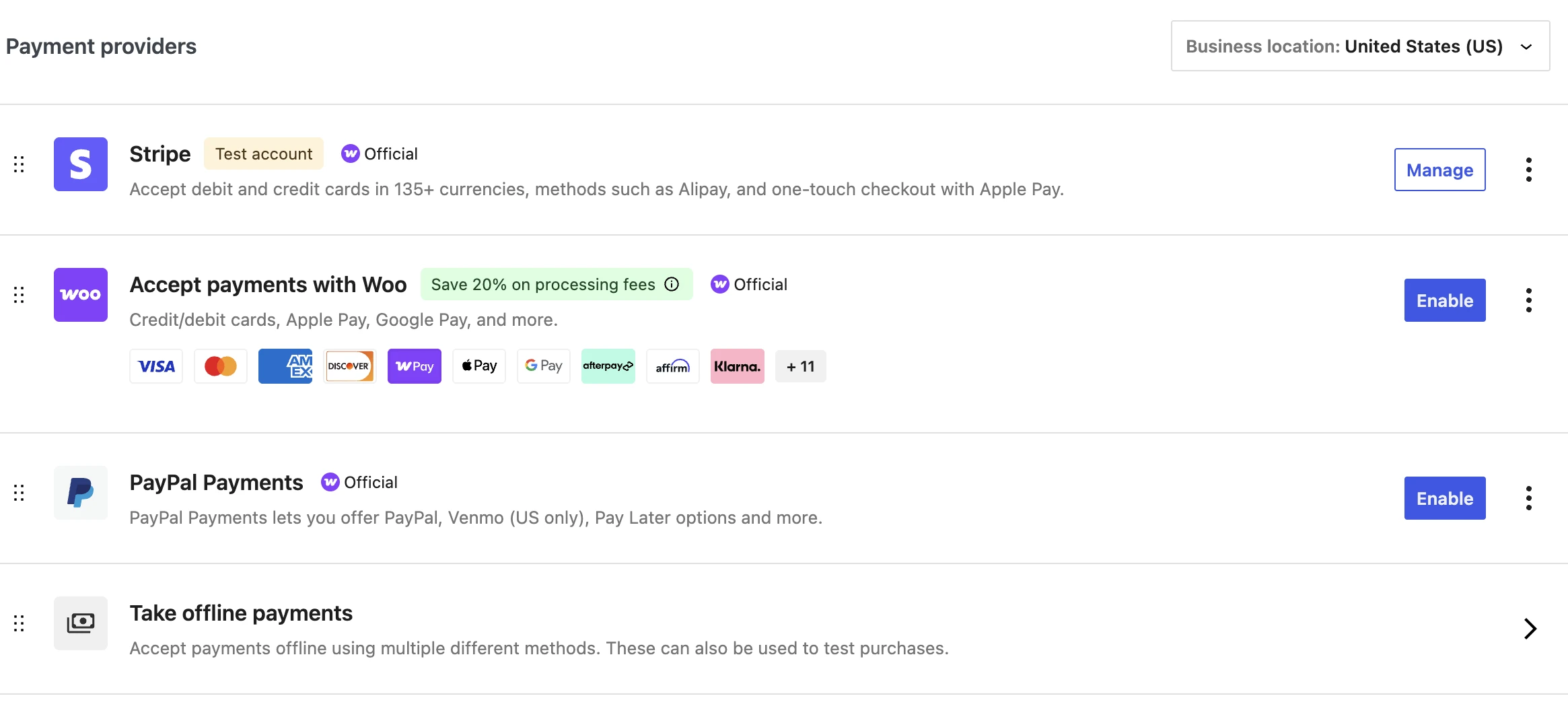
WooCommerce’s payment settings are one part of a new shop. Products, delivery, customer emails and the full order process also need checking.
Screenshot: WooCommerce. Example screen; yours may look different.What to ask the freelancer to do
- Configure products and store settings
- Set up agreed payments and delivery
- Build essential shop pages
- Test orders and train the owner
Questions to ask before hiring
- Which products and extensions does this price include?
- Will you test buyer and staff emails?
- What will I pay each year to keep it running?
Red flags
- Calls plugin installation a finished store
- Buys licences in an account you cannot control
- Never tests an order end to end
Agree what the job includes
- Agree the number of products, page layouts and payment methods included. A ten-product starter shop and a large catalogue are very different jobs.
- Write down your delivery and tax requirements for the developer to implement. Get the underlying business rules checked by the appropriate adviser rather than asking a developer to guess them.
- Follow a test order from product page to order handling. Include an out-of-stock item, an address you do not serve and a payment that does not complete.
What to send the freelancer
- Send the product data, approved policy wording and a list of required pages. Confirm rights to the photos and copy.
- Keep hosting, domain and payment accounts in your business’s name. List licence fees and renewals before agreeing the quote.
- Name the staff member who will manage orders and stock. Ask for a short handover based on the actual shop, not a generic video.
How to check the work is done
- A customer can buy an available test item with the correct product, agreed delivery charge and payment result recorded.
- The shop handles an unavailable item and an unsupported delivery address clearly. Buyer and staff emails reach the agreed inboxes.
- Staff can find and manage the order, update a product and restore the site using the supplied instructions.
What may cost extra
- Product photography, large catalogue entry and business tax or legal advice are separate unless arranged.
- Subscriptions, advanced shipping, bookkeeping links and ongoing maintenance may require paid extensions and extra work.
Sources checked 23 October 2026
Use this guide to agree the work and check the result.
Common questions
Do I need a new WordPress website to add WooCommerce?
Not always. A specialist should check your current host, theme and plugins first. Adding a shop may be possible, but it can change the site’s workload and maintenance needs.
When is a WooCommerce shop ready to launch?
When the agreed buying and staff tasks work, the content and rules are approved and real payment settings are ready. A nice homepage or successful test-mode checkout alone is not a complete launch check.
More help: Source 1
Find help on Fiverr
Ready to hand it over? This freelancer offers help with the job covered in this guide. Look at their work and send them your brief to get a quote.
Jawad Zafar
@jawadzafar520 · FiverrAdd a WooCommerce shop to WordPress
Jawad offers WooCommerce installation, store setup and changes to shop pages. His listing also covers products, variations, cart and checkout work. This is a place to start if you want help adding a shop to your WordPress site.
Before you hire: The basic package is installation. Ask for a full quote covering products, delivery, tax settings you supply, supported payments and a test order.
View service on Fiverr ↗Listing checked 2026-10-23. We have not hired this freelancer or tested their work.
Build my freelancer brief
Answer a few questions to make a clear job description you can send to a freelancer.