Build an Internal AI Assistant That Respects File Access
Help staff find answers in approved documents. Plan source links, document updates and access checks so the assistant does not expose files someone should not see.
A staff member asks how to book annual leave. Another asks about a private client contract. Both questions might be answered from company files, but both people should not automatically see every file. An internal assistant needs more than a shared document upload. It needs approved sources, a way to keep them current and access checks before restricted text reaches the AI.
Things to check first
- Choose one useful document set and name its owner. Remove outdated copies and conflicting policies. A smaller, clear pilot is easier to test than uploading the whole shared drive.
- List who may read each source. A login to the chatbot is not enough if every signed-in user can retrieve the same private documents.
- Write test questions with known source pages, questions not covered by the files and questions a lower-access user should not be able to answer. Agree the expected result before building.
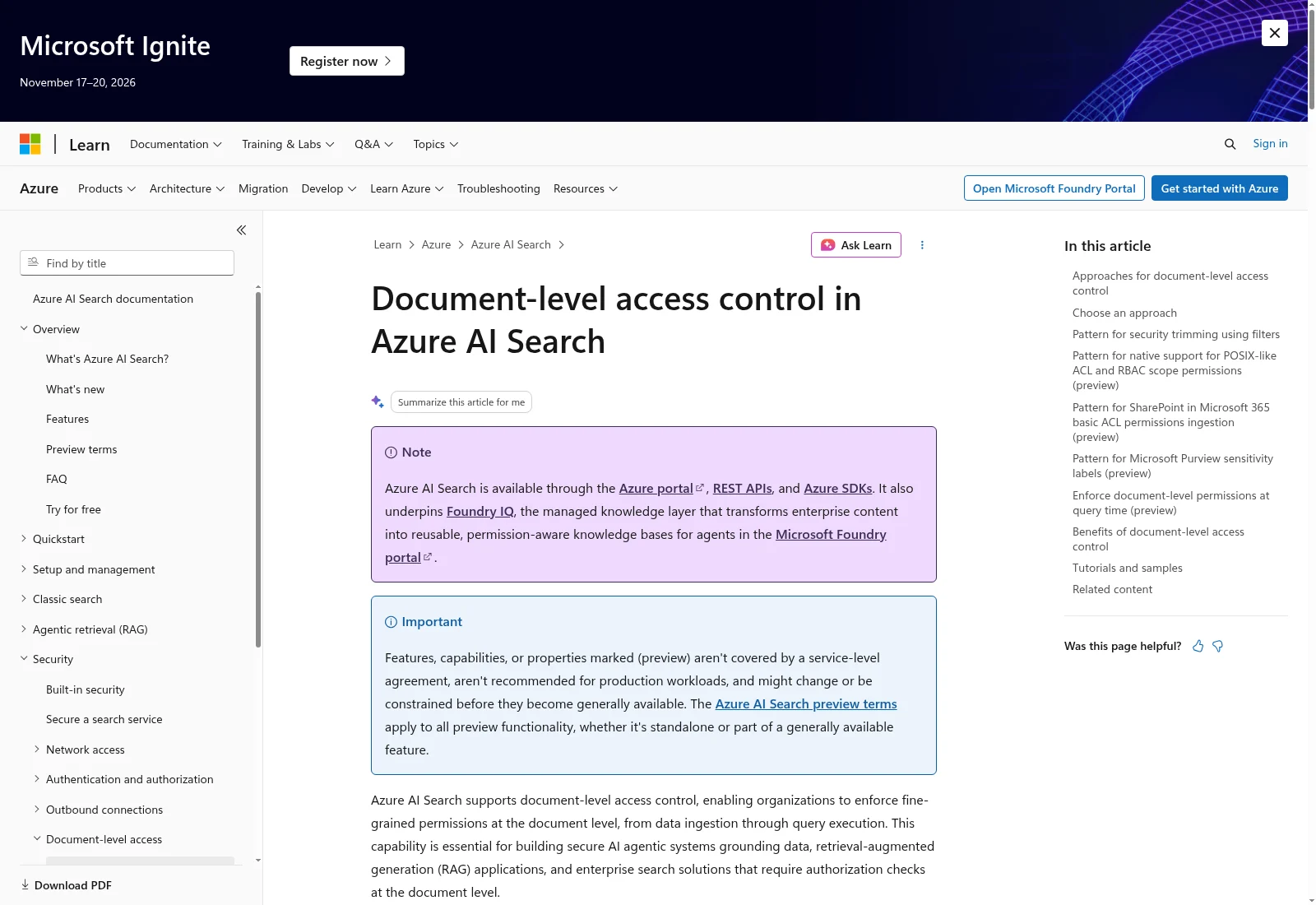
Microsoft’s example shows why document access needs its own controls. Some features on this page are previews. Your specialist must check the supported access and update rules of the tools they propose.
Documentation screenshot: Microsoft Learn. Example screen; yours may look different.What to ask the freelancer to do
- Choose approved sources and user access
- Build answers with checked source links
- Test source updates and restricted users
- Hand over document and permission maintenance
Questions to ask before hiring
- Where are file permissions checked before text reaches the model?
- How will we test a removed file and a revoked user?
- Can we inspect the source passage behind an answer?
Red flags
- Uploads everything into one shared index without access checks
- Treats a system prompt as document security
- Shows citations without checking they support the answer
Agree what the job includes
- Agree how the assistant finds relevant text and shows its source. This approach is often called RAG: the system looks up material before drafting an answer. It can still retrieve the wrong passage or draft a wrong answer, so check citations as well as wording.
- Enforce access before restricted material is included in the model's input. An instruction saying 'do not reveal private files' is not an access system. Microsoft documents source-specific permission and update limits for Azure AI Search; do not assume another tool automatically copies shared-drive permissions.
- Plan changes and deletion. Test replacing a policy, removing a file and withdrawing someone's access. Agree how quickly the searchable copy updates and what the assistant does while it is out of date. A citation to an old page does not make an old answer current.
What to send the freelancer
- Send a small approved test set with made-up or public content and expected answers. Keep private company documents out of the first sales conversation.
- List source systems, document types, access groups and update frequency. Name the staff member who approves sources.
- Agree hosting, AI providers, storage, running costs and who can remove uploaded files. Ask which permissions or features depend on the chosen plan.
How to check the work is done
- The test answers are supported by the cited source passages. Missing or conflicting information produces a clear limit or a request for human help.
- A lower-access test user cannot retrieve restricted text, citations or file titles. Changed and removed permissions take effect within the agreed update window.
- A replaced or deleted document follows the agreed update rules. You receive the test set, known failures, costs and steps for adding, removing and checking sources.
What may cost extra
- A document chatbot is not a promise of perfect answers or a replacement for the owner of a policy.
- Cleaning the whole shared drive, scanning paper archives and integrating every business system are separate jobs. Advanced access features may need a different plan or design.
Sources checked 23 October 2026
Use this guide to agree the work and check the result.
Common questions
Will a RAG chatbot stop AI making things up?
It can improve answers by supplying relevant sources, but it does not make errors impossible. Test the retrieved passage, the final answer and what happens when the files do not contain the answer.
Does connecting a shared drive preserve its permissions?
Not automatically. It depends on the connector, storage and retrieval setup. Test access before text reaches the model, and check how changed permissions and deleted files are updated.
Find help on Fiverr
Ready to hand it over? This freelancer offers help with the job covered in this guide. Look at their work and send them your brief to get a quote.
Sardar Hussnain
@hussnainsardar3 · FiverrPrivate document assistant
This listing offers document chat with source links. Its private-platform package adds logins and document updates. A small demo does not prove that staff permissions are enforced.
The listing showed 29 reviews when checked. Reviews cover a range of jobs; we have not independently tested this seller's work.
Before you hire: Ask for two test users with different file access, a deleted-file check and answers verified against the cited passage. Do not accept a promise that AI can never invent an answer.
View service on Fiverr ↗Listing checked 2026-10-23. We have not hired this freelancer or tested their work.
Build my freelancer brief
Answer a few questions to make a clear job description you can send to a freelancer.