 n8n
n8nn8n Works in Test but Not in Production? Start Here
Check the test and production webhook URLs, published workflow and live run history. Find the first difference before changing the whole automation.
An n8n webhook can work while you press Listen for Test Event and stop when you close the editor. The test listener is not the live endpoint. n8n provides separate test and production addresses, and the production workflow must be published or activated for the version you use. If the live request does start a run, the fault may instead be in its data, credentials or later steps.
Things to check first
- Compare the address saved in the sending app with the Production URL shown by the webhook node. Check the path and request method too. Do not assume that a successful call to the Test URL proves the live address works.
- Check that the intended workflow version is published or active. Current n8n docs use Publish; older versions may use an Active control. Look in Executions for production runs rather than waiting for data to appear on the editor canvas.
- If a production run exists, open the first step that differs from the test. Check for pinned test data, different credentials, missing fields or a branch that did not run. Use a made-up record so a test cannot send a real appointment reminder.
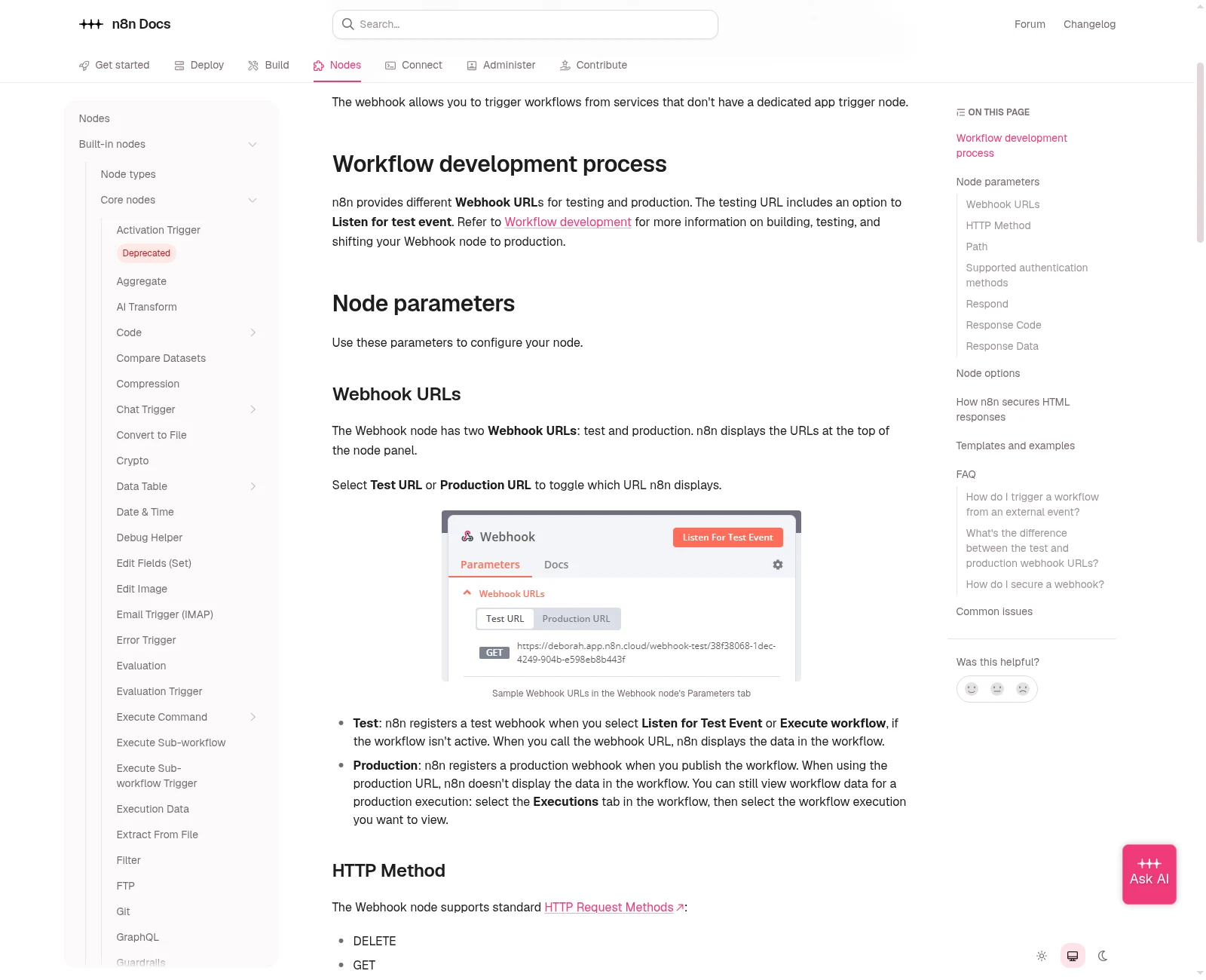
n8n provides different webhook addresses for testing and production. Use the production address for the published workflow, then inspect its runs in Executions. This is n8n’s documentation.
Documentation screenshot: n8n. Example screen; yours may look different.What to ask the freelancer to do
- Check test and production URLs and publishing
- Trace a fresh production execution
- Fix the confirmed workflow or hosting fault
- Test the destination and write handover steps
Questions to ask before hiring
- Does the live request create an execution?
- Is the fault in n8n Cloud, the workflow or our own hosting?
- How will you check the destination without sending real reminders?
Red flags
- Leaves the sender pointed at a temporary test listener
- Uses pinned data as proof that live requests work
- Restarts or rebuilds the server before checking the URL and run history
Agree what the job includes
- Separate 'no request reached n8n' from 'the run started but did not finish'. Record the response code and execution ID where available. A 404 can come from the wrong path, an unregistered webhook or a hosting route; it is not a reason to rebuild every node.
- For self-hosted n8n, check the public webhook URL, HTTPS and reverse-proxy configuration against the current docs. For n8n Cloud, start with the workspace and workflow settings. Server changes should not be sold as necessary before the hosting type is known.
- Run the same fresh test record through the intended live route. Check the destination record, not just a green node. Test a repeated request and a failure at the destination so the repair does not create duplicate bookings or silently drop work.
What to send the freelancer
- Send the n8n version, Cloud or self-hosted setup, redacted URL pattern and response code. State whether a production execution appears.
- Share a redacted workflow export and a made-up request body. Check the export for credentials, private URLs and sample patient data before sending it.
- Agree a short change window, a saved workflow version and who can switch it back. Disable real test notifications at their destination.
How to check the work is done
- A request to the production address starts the intended published workflow without someone listening in the editor.
- The test record reaches the right destination once. A missing field, duplicate request and temporary destination failure have clear outcomes.
- The handover shows where to find runs, which URL the sender uses, what hosting settings changed and how to restore the earlier version.
What may cost extra
- Moving servers, upgrading n8n and building new workflow steps need separate agreement.
- A working webhook does not prove every connected clinic API supports the booking action you want. Confirm that separately.
Sources checked 23 October 2026
Use this guide to agree the work and check the result.
Common questions
Why do I see no production data on the n8n canvas?
Production webhook calls do not display data there in the same way as a test listener. Open Executions and select the relevant run to inspect what arrived and what happened next.
Does a successful webhook reply mean the workflow finished?
Not always. The reply mode may return before later steps run. Check the execution and the actual destination record. If work is accepted for later processing, it needs reliable storage and failure handling.
Find help on Fiverr
Ready to hand it over? This freelancer offers help with the job covered in this guide. Look at their work and send them your brief to get a quote.
Saad Ali
@saad_ali_bhatti · Fiverrn8n production webhook repair
The current listing offers n8n error fixes and API/webhook work. Its basic package covers installation or one small JSON error. A hosting or production-flow repair needs an agreed quote.
The listing showed 186 reviews when checked. Reviews cover a range of jobs; they do not prove experience with your clinic software.
Before you hire: Ask whether the job includes your hosting setup, a fresh production execution and a safe destination test. Check which recent examples are n8n work.
View service on Fiverr ↗Listing checked 2026-10-23. We have not hired this freelancer or tested their work.
Build my freelancer brief
Answer a few questions to make a clear job description you can send to a freelancer.