 Google Analytics
GA4 Cross-Domain Tracking Not Working? Follow One Test Visit
Check a visit across your website and booking or checkout domain, find where the link is lost and agree a focused tracking fix.
A customer may start on your main website and book on another domain. Without the right setup, Analytics can treat the second part as a different visit. That can make the source of the enquiry hard to understand. Start with one complete test route: which page they leave, which link or form they use and where they land. Cross-domain tracking needs cooperation from both sides; it cannot add tracking code to a booking service you do not control.
Things to check first
- List the exact domains and the route between them. Check that you can configure tracking on both, or that the booking provider supports it.
- Check the Google tag on each side. Google’s standard setup uses the same tag ID from the same web data stream, plus the agreed domain settings.
- Follow a test link with the normal privacy choices. Look for Google’s _gl link parameter on the destination and check whether a redirect removes it. Do not assume that adding a domain name alone completes the job.
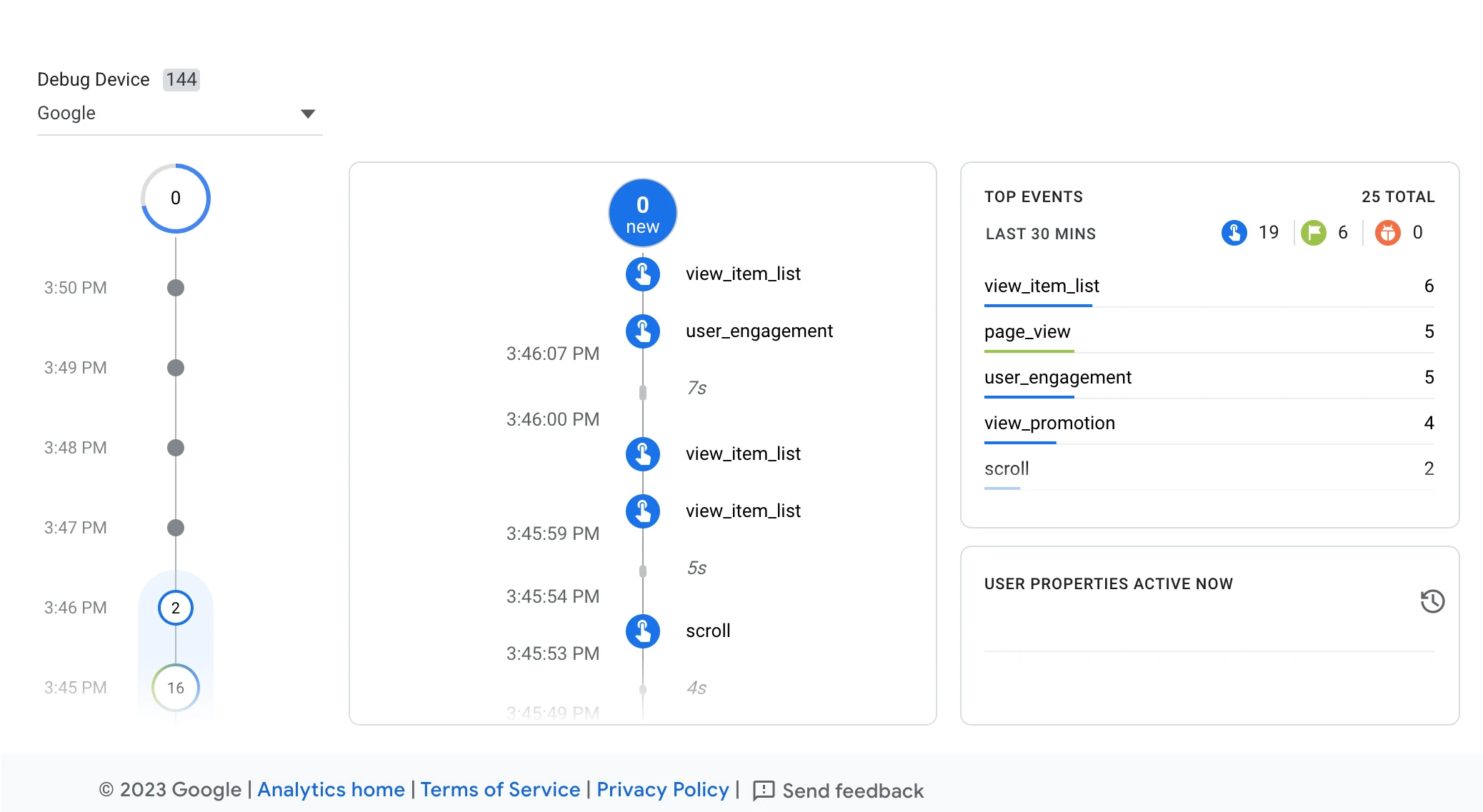
Google Analytics DebugView can help inspect test activity on each site. Seeing an event here alone does not prove that the visitor stayed in the same session across domains.
Screenshot: Google Analytics. Example screen; yours may look different.What to ask the freelancer to do
- Map the cross-domain route
- Check tags and domain settings
- Test links, forms and redirects
- Explain remaining gaps and ownership
Questions to ask before hiring
- Can both domains run the required tag?
- Does any redirect remove the linker parameter?
- How will you check the final action as well as the link?
Red flags
- Adds every referral to an exclusion list without testing
- Promises perfect attribution
- Only checks that both pages send page views
Agree what the job includes
- Name the domains and end action, such as a booking confirmation. Exclude unrelated third-party sites that you cannot configure.
- Ask the specialist to test both navigation and tracking. A URL parameter surviving the link is one check; the recorded visit and final event also need review.
- Keep the usual consent behavior and test the agreed browser cases. Excluding a referral from reports is not the same as proving that both parts share the same visitor and session.
What to send the freelancer
- Send the starting page, destination page and the exact button or form used. Include any redirects and booking-provider documentation.
- List tag managers, site plugins and Analytics properties on each side. Arrange access with each website owner where needed.
- Agree test records, expected events and what evidence can be shared without exposing customer details.
How to check the work is done
- The agreed links and forms reach the right destination with required tracking parameters preserved where supported.
- The specialist records evidence that the test visit and final action are handled as agreed across both domains, with normal consent choices kept in place.
- You receive changed domain and tag settings, browser test results and a clear list of provider or privacy limits that remain.
What may cost extra
- This cannot guarantee complete tracking for every visitor or recover data never collected.
- Custom booking-app code, server tracking and a wider analytics rebuild need separate quotes.
Sources checked 23 October 2026
Use this guide to agree the work and check the result.
Common questions
Is adding a booking domain to GA4 enough?
No. Check the tag setup on both sides and the actual links or forms between them. A redirect or custom script can interrupt the transfer.
What if I cannot edit the external booking website?
Check its supported Analytics integration first. If it cannot run or accept the needed setup, a specialist should explain that limit rather than promise a complete tracked visit.
More help: Source 1
Find help on Fiverr
Ready to hand it over? This freelancer offers help with the job covered in this guide. Look at their work and send them your brief to get a quote.
Naorus Palin
@fairdigitalsvc · FiverrSet up GA4 tracking across two websites
Naorus offers GA4 tracking across domains, so a visit can stay connected when someone moves between your websites. His listing includes setup and checks, with ecommerce tracking available in a larger package.
Before you hire: The basic package is GA4 and Tag Manager setup. Ask for the cross-domain package, name both websites and agree a test that follows the visit through to the final action.
View service on Fiverr ↗Listing checked 2026-10-23. We have not hired this freelancer or tested their work.
Build my freelancer brief
Answer a few questions to make a clear job description you can send to a freelancer.