 Tag Manager
Set Up Google Tag Manager Without Adding Tags Twice
Plan a new Google Tag Manager setup, choose the actions to track and test the tags before publishing.
Google Tag Manager lets you manage tracking tags from one place. It does not decide what your business should measure. Before installing it, find out what your site already runs. A plugin, a theme and a new container can each send the same action. Start with a short list of useful actions and one owner for the setup.
Things to check first
- Check whether the site already has a GTM container or tracking plugin. Record the container ID and who owns the account.
- Pick two or three actions that matter, such as a sent enquiry or a completed purchase. Write down exactly when each should count.
- Use a test site or an agreed test window. Make sure a person in your business can publish and restore a previous version.
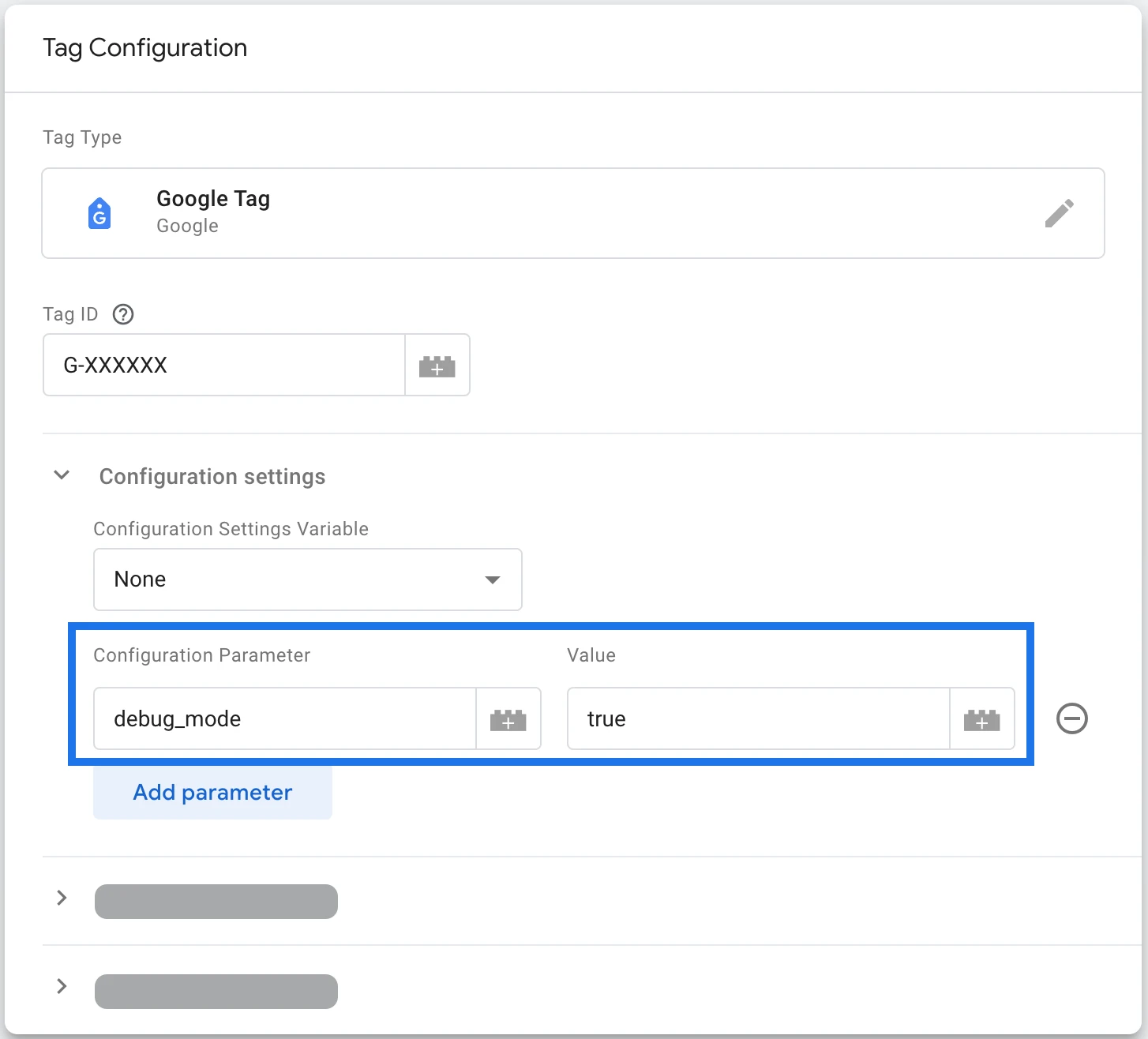
Google Tag Manager holds the rules that send tracking updates. This example shows a test setting. The specialist should check which rules run for your action and whether another tool sends the same update.
Screenshot: Google Analytics. Example screen; yours may look different.Decide what a successful action means
A button click is not always a sent form. A visitor can click Submit and still see an error. Ask the developer what signal confirms success, and use that signal for the agreed tracking event.
Some sites need extra code to expose the right information. For a store this may include an order ID, item details, value and currency. Ask whether that code is included; adding a tag in GTM alone may not supply it.
Preview first, then publish
Use Preview and Tag Assistant to check which tags fire on each test action. Also check when they should stay quiet: an invalid form, an abandoned checkout and a repeated page load. Keep the normal consent choices in place.
Saving a tag does not publish it to visitors. After the checks pass, publish a named version with notes. Recheck the live site and keep a clear route back to the last working version.
What to ask the freelancer to do
- Review existing tags and choose event rules
- Install the agreed GTM setup
- Test and publish a named container version
Questions to ask before hiring
- Does your quote include any site code needed for the events?
- How will you find tracking tags outside GTM?
- Will you test the published version as well as Preview?
Red flags
- Installs a second container without checking the first
- Counts every submit click as a successful lead
- Publishes without a version or test notes
Agree what the job includes
- Agree the account, container and event names. List old tags that need to be kept or removed.
- Install the agreed tags, triggers and supporting site code. Check consent behavior and avoid duplicate events.
- Show the tests in Preview and the receiving tool, then publish a named version and hand over access.
What to send the freelancer
- List existing analytics tools, ad platforms and plugins. Share account invitations rather than passwords.
- Give the specialist safe test forms or orders and a written definition of success for each action.
- Agree who approves publication and whether site code, a consent tool or paid plugins cost extra.
How to check the work is done
- Each agreed successful action sends the right event once during the test. Failed actions do not count as successes.
- The published setup respects the agreed consent choices and reaches the correct reporting account.
- You receive the container details, test notes, version name and rollback steps.
What may cost extra
- A full analytics strategy and every advertising platform need separate scope.
- Repairing a custom checkout or buying a consent tool is not automatically part of tag installation.
Sources checked 2026-10-24
Use this guide to agree the work and check the result.
Common questions
Is Google Tag Manager the same as GA4?
No. GTM manages tags. GA4 receives and reports analytics events. A GTM container can send events to GA4 and other agreed tools.
Why are my saved tags not live?
Saving changes and publishing a container version are separate steps. Test in Preview before publishing.
More help: Source 1
Find help on Fiverr
Ready to hand it over? This freelancer offers help with the job covered in this guide. Look at their work and send them your brief to get a quote.
Sirazul
@sirazuldigital · FiverrGoogle Tag Manager setup
The listing offers GA4 and GTM event setup. Custom checkout code is not automatically part of a basic package.
Listing checked October 24, 2026: 116 reviews, 4.9/5 displayed. Visible reviews included recent tracking work and feedback on GTM configuration.
Before you hire: Ask about existing tags, required site code, consent tests and the published container version.
View service on Fiverr ↗Listing checked 2026-10-24. We have not hired this freelancer or tested their work.
Build my freelancer brief
Answer a few questions to make a clear job description you can send to a freelancer.