 Make
MakeMake Scenario Not Working? Checks & Fixes
Is your Make automation stopping, skipping information or sending it to the wrong place? Find the cause, try the simple checks and see when to get help.
Say a new enquiry should move from a form to your customer list, then send a message to your team. The form works, but the message never arrives. The fault could be anywhere in between. Start with one test enquiry and follow it through each step. In Make, the whole automation is called a scenario. Each step is a module, and each item of information it handles is a bundle.
Things to check first
- Open the run history and find a recent failed run. Look for the first step with an error. If nothing ran at all, check that the scenario is switched on and its schedule is correct.
- Check that the connected apps are still signed in to the right accounts. A changed password or an expired connection may mean you need to reconnect an app.
- Try one made-up enquiry. Check what goes into each step and what comes out. A filter may have stopped it, or a step may be looking for a name or email address that is missing.
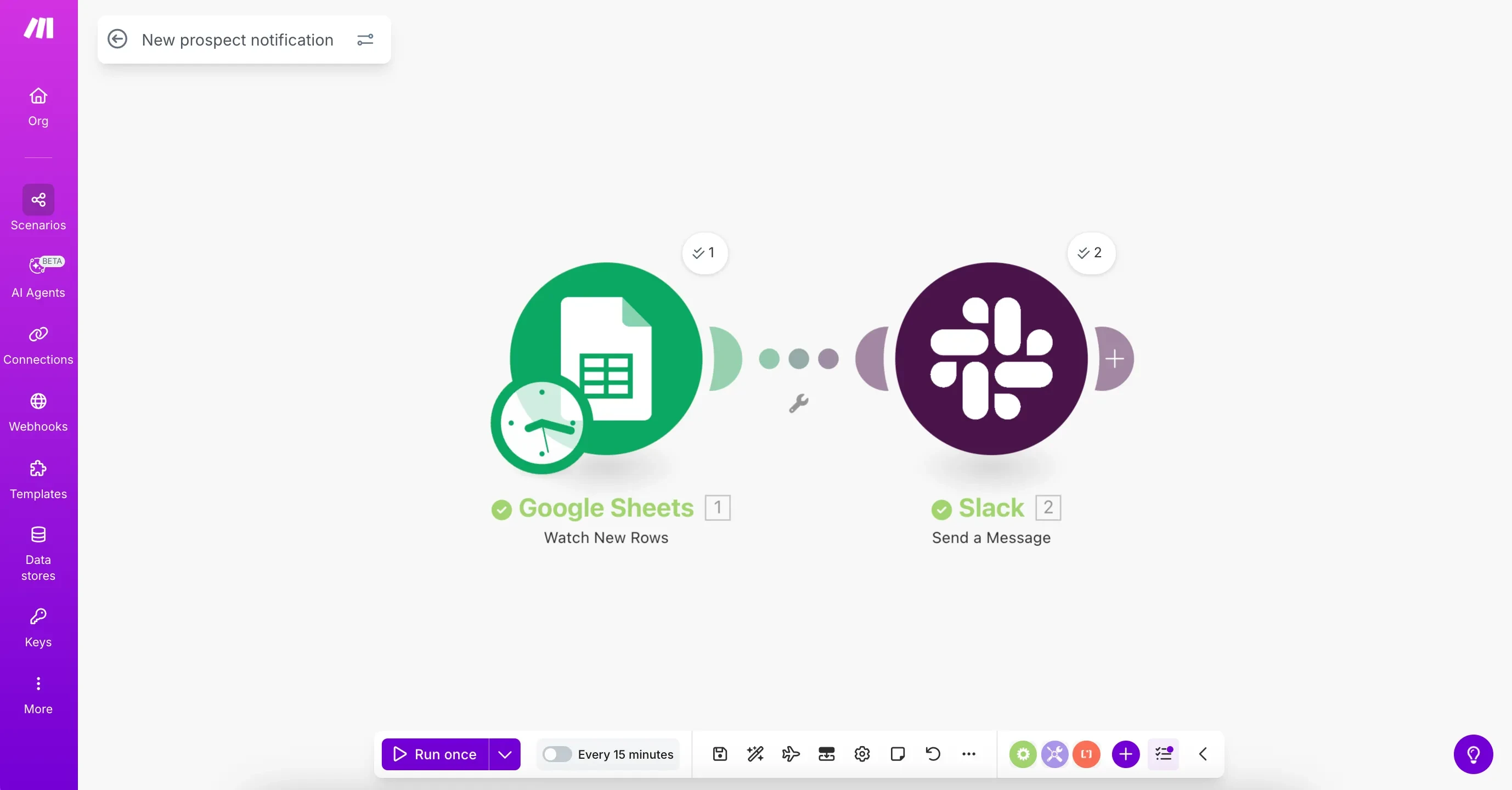
In this Make example, a new row in Google Sheets sends a message to Slack. If the message is missing, check what happened at each step. Use a made-up row for testing.
Screenshot: Make. Example screen; yours may look different.What to ask the freelancer to do
- Find the step where information stops
- Check the connections, filters and information sent between apps
- Fix the agreed fault
- Show how to spot and retry failed items
- Explain the changes and who will look after them
Questions to ask before hiring
- Why is the automation failing?
- How will you stop messages or records being added twice?
- Will the fix increase my Make bill?
Red flags
- Hides errors without checking what went missing
- Changes how often the scenario runs without explaining the cost
- Tests only one example where everything goes right
Agree what the job includes
- Agree which scenario and which fault the price covers. Ask the freelancer to explain where the information stops before suggesting a rebuild.
- Check how information moves between apps. For example, the email field from your form should go into the email field in your customer list. Make calls this mapping.
- Agree what should happen if an app is briefly unavailable or an enquiry is missing details. You should know which items failed and how to try them again safely.
What to send the freelancer
- Send the scenario name, a screenshot of the error and a short example of what should happen. Hide customer details and any secret keys.
- List the apps you use and your account plans. Agree a test that will not message real customers or create real orders.
- Save a copy of the current scenario. Agree who can change the live version and who will look after it afterwards.
How to check the work is done
- A test enquiry reaches the right app with the right name, email and other agreed details.
- A missing field or failed app gives you a clear error. Trying again does not add the same record or send the same message twice.
- You get a short note explaining the fix, any extra costs and how to put the old version back if needed.
What may cost extra
- Adding new apps or building a new automation costs extra unless you agree otherwise.
- Fixing this scenario will not remove limits on your Make plan or stop other apps from having outages.
Sources checked 22 October 2026
Use this guide to agree the work and check the result.
Common questions
Why does my Make scenario work with Run once but not automatically?
Start by checking the scenario is switched on and its schedule is right. Then use a new test item and look in the run history. An old test result does not prove that automatic runs are working.
What should I check when a Make webhook is not triggering?
Check that the sending app uses the current webhook address and that it belongs to the right scenario. Look for a new test update in Make. If it arrives, follow what happens at the next step.
Find help on Fiverr
Ready to hand it over? This freelancer offers help with the job covered in this guide. Look at their work and send them your brief to get a quote.
Mohammad Shadan
@sadan__py · FiverrMake automation repairs
This listing offers repairs for Make automations, code and app connections. Building a new automation may cost extra.
Before you hire: Ask which steps the price covers, how they will test the fix and whether you will need any paid tools.
View service on Fiverr ↗Listing checked 2026-10-22. We have not hired this freelancer or tested their work.
Build my freelancer brief
Answer a few questions to make a clear job description you can send to a freelancer.