 Zapier
Zapier Not Triggering? What to Check
Is your Zap failing to start, stopping halfway through or giving the wrong result? Check what is going wrong before hiring someone to fix it.
A Zap is an automation: something happens in one app, then Zapier does a job in another. For example, a new form reply might add someone to your email list. If that stops working, check whether the Zap never started or started and then failed. Those are different problems. Start with one new test reply and look for it in Zap history.
Things to check first
- Check that the Zap is turned on and connected to the right accounts. Create a new test item that should start it.
- Look in Zap history. If a run is there, find the first step that failed or stopped. Check whether a filter was meant to stop that item.
- Check that both apps are working and their connections are still valid. Do not run every old failed task again: some could send messages or add records twice.
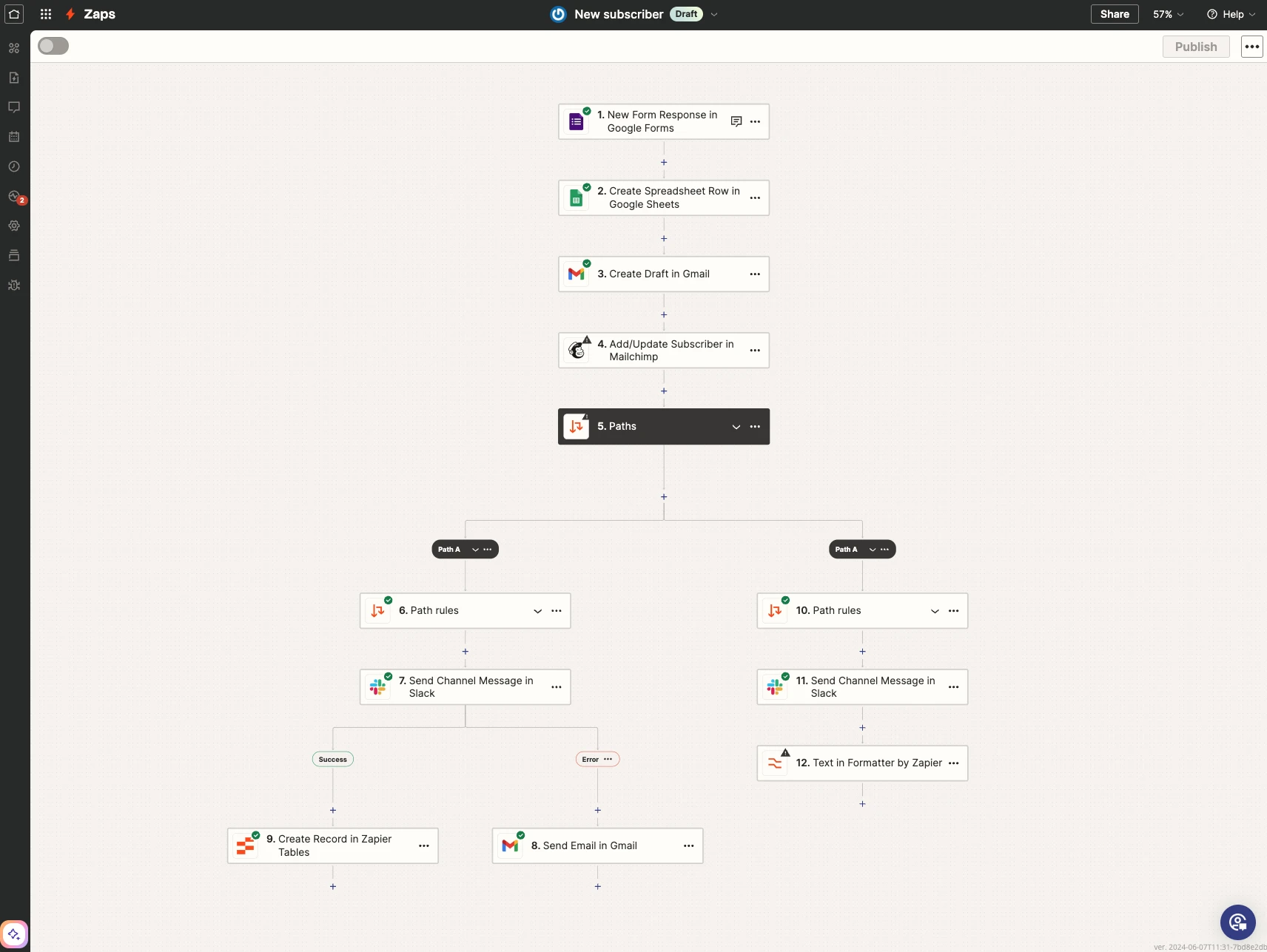
This Zapier example has different paths. A rule decides which path each item takes. If an action never happens, check whether the item went down another path.
Screenshot: Zapier. Example screen; yours may look different.What to ask the freelancer to do
- Check why the Zap does not start or finish
- Fix the agreed Zap
- Test new and repeated items
- Explain any missed records that still need moving
- Leave simple instructions
Questions to ask before hiring
- Which app and starting action will you check?
- Does this cover old missed records too?
- Could retrying tasks send anything twice?
Red flags
- Tests only old records to judge a new starting rule
- Retries all old tasks without checking them
- Suggests a full rebuild without checking the history
Agree what the job includes
- Agree which Zap and which problem the price covers. List the starting app, the action that starts the Zap and the result you expect.
- Treat moving old records as a separate job. Fixing new enquiries does not automatically mean the freelancer will also copy six months of missed enquiries.
- Check the rules that decide which items continue. Agree what should happen to an item with missing details.
What to send the freelancer
- Share the Zap name, error screenshot and one made-up example. Invite the freelancer to the account where possible; do not paste passwords into your brief.
- Flag steps that send emails, charge money or add orders. Agree safe places to send test records.
- Ask whether code, paid apps and follow-up fixes are included.
How to check the work is done
- A new test item starts the Zap and creates the right result. An item that should be skipped is skipped.
- Retrying the agreed test does not send extra messages or create extra records.
- You receive simple notes on the changes, any limits and what to do if it fails again.
What may cost extra
- Old record imports, new apps and moving to another tool cost extra unless agreed.
- No freelancer can stop connected apps from changing their settings or permissions.
Sources checked 22 October 2026
Use this guide to agree the work and check the result.
Common questions
Why does Zapier ignore records that already exist?
A trigger generally checks for new activity after the Zap is enabled. Use a new test item that meets the trigger’s rules. Moving old records may be a separate task.
Should I replay every failed Zap task?
Check the actions first. Replaying a task might send an email or add the same customer twice. Agree which tasks can safely run again and how repeated records will be handled.
Find help on Fiverr
Ready to hand it over? This freelancer offers help with the job covered in this guide. Look at their work and send them your brief to get a quote.
Mohammad Shadan
@sadan__py · FiverrZapier automation repairs
This listing offers help with broken Zaps and app connections. Describe your problem before choosing a package.
Before you hire: Ask for a new test item and checks that it reaches the right app. Agree separately if old missed records need moving.
View service on Fiverr ↗Listing checked 2026-10-22. We have not hired this freelancer or tested their work.
Build my freelancer brief
Answer a few questions to make a clear job description you can send to a freelancer.