 Make
MakeHow to Plan a New Make Automation
Write a clear Make scenario brief, agree how information moves between apps and test the awkward cases before switching it on.
Make calls an automation a scenario. It is a set of steps that moves information between apps and decides what happens next. You might use it to send a team message when a new sales lead appears in a spreadsheet. The difficult part is often agreeing the rules: which rows count, who gets the message and what happens if an email address is missing. Put those choices in the brief before paying someone to build it.
Things to check first
- Describe one process from start to finish. Say whether it runs on a schedule or reacts to a new update from an app.
- Check the apps, account plans and permissions. List the exact information each step should receive and where it should put it.
- Prepare made-up examples, including a repeated item and one that should be ignored. Keep the live process separate while the scenario is being tested.
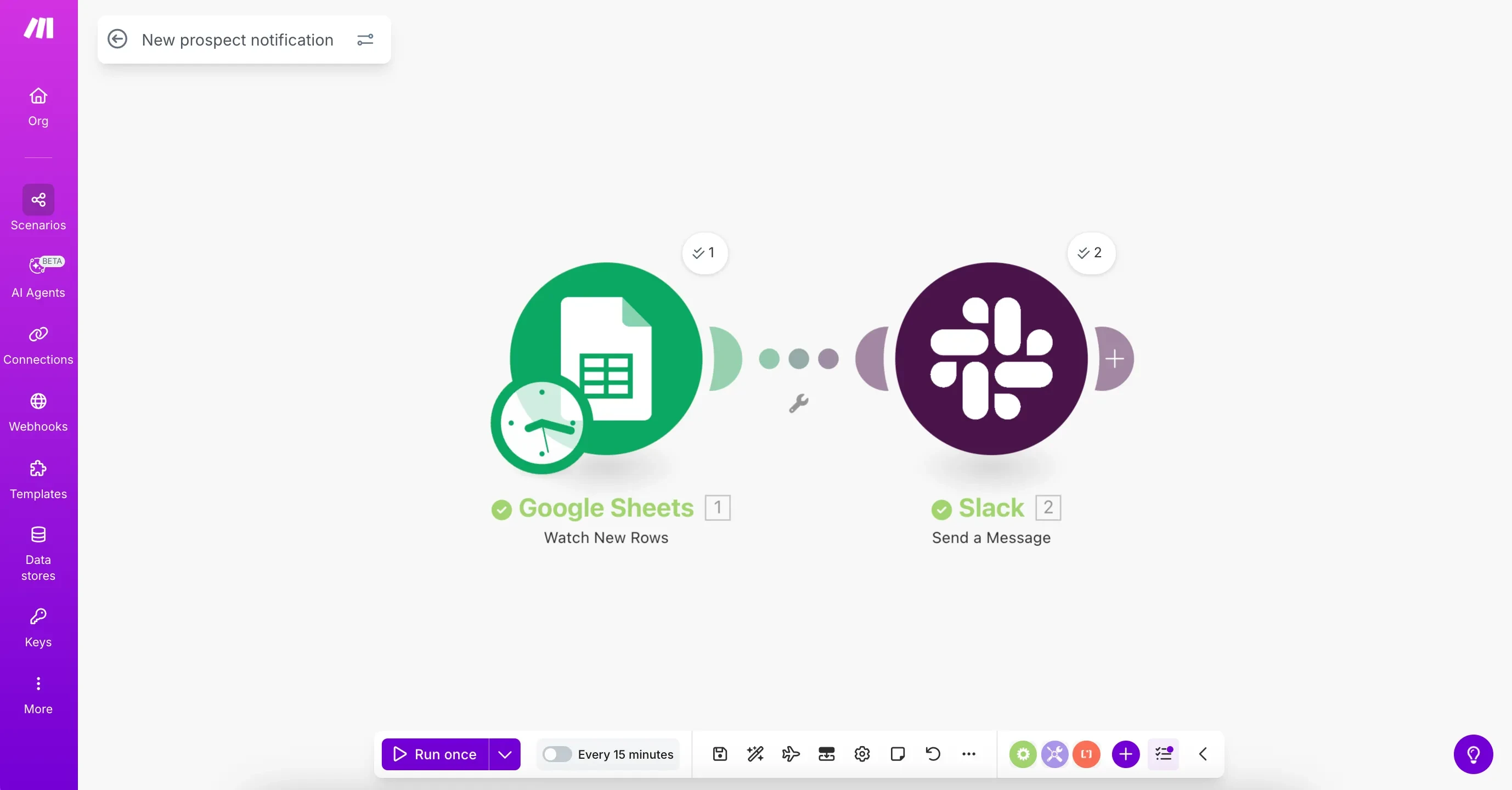
Make’s tutorial connects a new spreadsheet row to a Slack message. Use it as a planning example: name the starting action, the information passed and the result you expect.
Screenshot: Make. Example screen; yours may look different.What to ask the freelancer to do
- Plan the trigger and app steps
- Set filters and field matches
- Test failures and repeated records
- Explain ownership and usage costs
Questions to ask before hiring
- What counts as a new item?
- How will you prevent the same action happening twice?
- What will this cost to run each month?
Red flags
- Cannot explain what each route does
- Ignores failed records to keep the run green
- Changes the live process without a tested copy
Agree what the job includes
- Agree the starting event, steps and end result. Make calls each step a module; any extra route or app should have a clear purpose.
- Write the field matches in plain words, such as “put the form email in the CRM email field”. Ask what happens when a field is empty or a list contains more than one item.
- Estimate usage from a realistic month, including retries and busy periods. Agree who receives error alerts and who can turn the scenario off.
What to send the freelancer
- Send a numbered example of the manual process, app names and sample records. Mark any step that must wait for human approval.
- Invite the specialist to test accounts with only the access needed. Confirm which paid apps and Make plan the quote assumes.
- Choose an owner for the scenario and its connected accounts. Agree how the team will handle missed work while the new process is being tested.
How to check the work is done
- The normal test item reaches the right app with the expected values. An item meant to be ignored takes no business action.
- Repeated input and a failed app do not create silent gaps or unwanted duplicate messages. Recovery follows the method you agreed.
- You receive the scenario, a short explanation of each route, likely usage costs and instructions for stopping and restarting it.
What may cost extra
- Fixing an existing broken scenario is a repair job; it should not automatically be quoted as a rebuild.
- Adding more apps, moving old records and ongoing monitoring need their own agreement.
Sources checked 23 October 2026
Use this guide to agree the work and check the result.
Common questions
What should I give a Make specialist before they quote?
Give one clear example from start to finish, the apps involved, sample fields and the result you want. Include what should happen when details are missing or an app fails.
Will a Make template work unchanged for my business?
Not usually without checking it. Account connections, field names, filters and business rules can differ. Test it with made-up records before using live customer data.
More help: Source 1
Find help on Fiverr
Ready to hand it over? This freelancer offers help with the job covered in this guide. Look at their work and send them your brief to get a quote.
Samu Flow
@samuflow · FiverrBuild a Make automation
Samu offers Make workflows that move information between apps and handle repeat tasks. The listing covers simple app connections and larger workflows. Send your current process and the result you want so he can price the work.
Before you hire: Agree the number of apps and routes, likely Make usage and tests for missing information. Ask how repeated runs will avoid creating the same record twice.
View service on Fiverr ↗Listing checked 2026-10-23. We have not hired this freelancer or tested their work.
Build my freelancer brief
Answer a few questions to make a clear job description you can send to a freelancer.