 n8n
n8nHow to Plan a New n8n Workflow
Turn a manual task into a clear n8n build brief, with safe tests, failure handling and an owner for the finished automation.
A good automation starts with a task you can explain without naming the software. For example: when an enquiry arrives, check that it has an email address, add it to the right customer list and notify the team once. n8n connects the steps, but you still need rules for missing details and failures. Start with one small process, then extend it after it works. This page covers a new build; use the repair guide if an existing workflow has stopped.
Things to check first
- Write the start, the desired end and the person who owns the task. List the apps and confirm that your plans allow the needed connections.
- Make three sample inputs: a normal record, one with a required detail missing and one that arrives again. Use made-up customer details.
- Choose where the workflow will run and who will maintain it. Self-hosting adds server, backup and update work that should be priced explicitly.
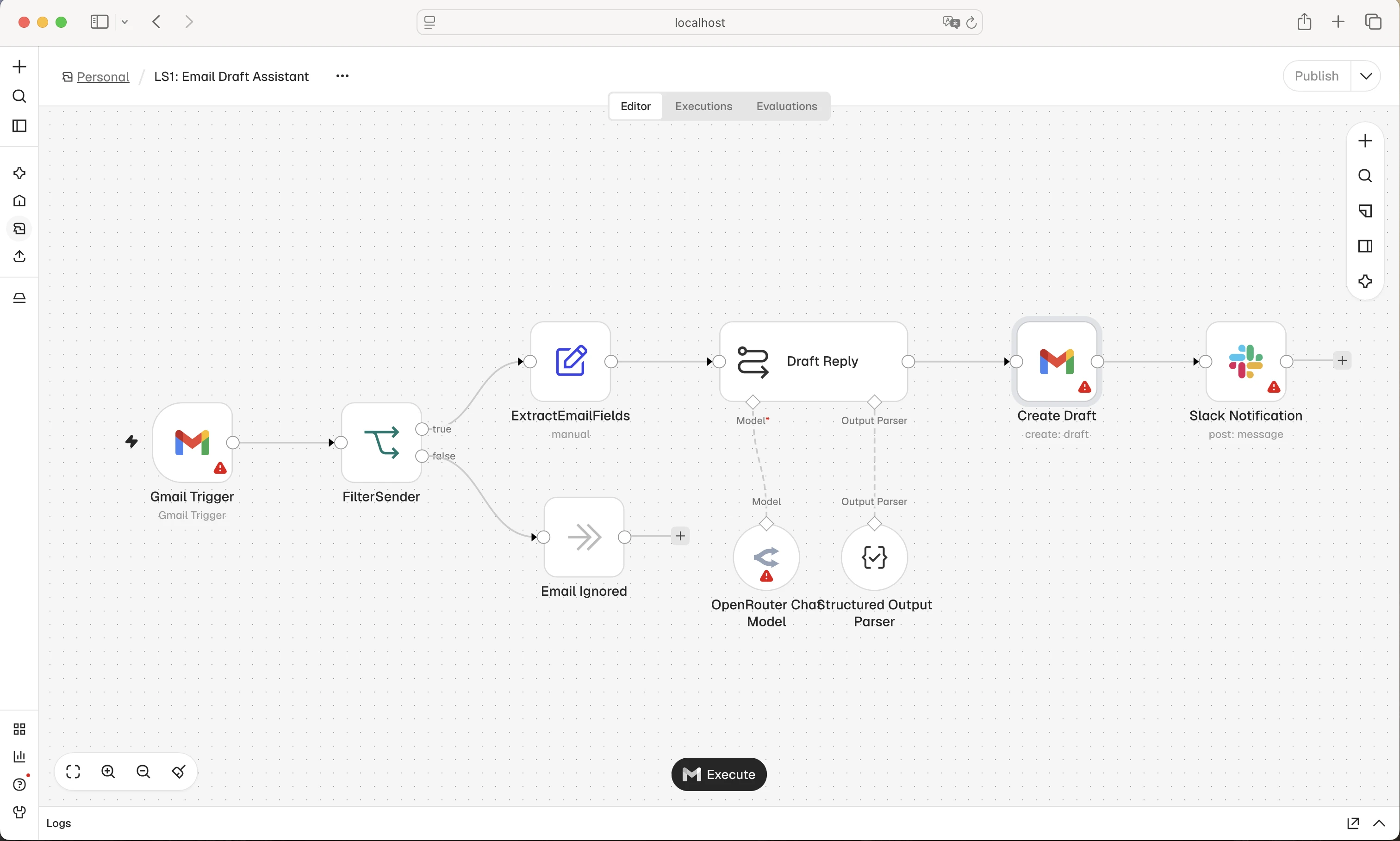
An n8n example with connected steps and branches. Each branch needs a clear rule; do not copy the example and assume it handles your own business process.
Screenshot: n8n. Example screen; yours may look different.What to ask the freelancer to do
- Define the start and match fields between apps
- Build the agreed steps
- Handle invalid and repeated input
- Document tests and ownership
Questions to ask before hiring
- What happens when the same record arrives twice?
- Which failures need a human decision?
- Does the quote include hosting and updates?
Red flags
- Builds before agreeing the business rules
- Gives every app unrestricted access
- Tests only a single ideal record
Agree what the job includes
- Agree the trigger, steps and outputs before estimating the build. State whether it acts on new records only or also processes old data.
- Define how each record is identified across apps. A repeated trigger should not send the same welcome message twice or create another customer by mistake.
- Ask for a safe test and an error path. Someone should know what failed, whether it can be retried and what to check before trying again.
What to send the freelancer
- Send a short process diagram or numbered steps and sample fields. Name which app owns each piece of data.
- Provide test accounts and scoped access, not passwords in the brief. List usage limits, expected record counts and busy periods.
- Agree the hosting owner, monthly costs and handover. Decide who can publish the workflow and how to pause it quickly.
How to check the work is done
- The normal input reaches the right destination with the agreed values and only the intended notifications.
- Missing information, repeated input and an unavailable app follow the agreed path without silent loss or an unwanted duplicate action.
- The workflow is saved in the owner’s account with setup notes, test examples and clear pause, retry and restore steps.
What may cost extra
- Server administration, large historical imports and new business processes need separate scope.
- Using an AI step does not remove the need to check its output before it changes important records.
Sources checked 23 October 2026
Use this guide to agree the work and check the result.
Common questions
Should I start with a template or a custom n8n build?
A template can show how steps connect. Check each app, field and failure path against your own process before using it with real records.
How do I know whether I need a repair or a new workflow?
If the required process already exists and used to work, start by finding the fault. A new build makes sense when the job itself is new or the old design cannot support the agreed rules.
More help: Source 1
Find help on Fiverr
Ready to hand it over? This freelancer offers help with the job covered in this guide. Look at their work and send them your brief to get a quote.
Samu Flow
@samuflow · FiverrBuild an n8n workflow
Samu offers new n8n workflows that connect business apps and cut down repeat tasks. His listing includes forms, spreadsheets, email, CRMs and custom app connections. Share the steps you want to automate to get a clear quote.
Before you hire: Agree the apps and steps included, monthly tool costs, test records and what should happen if an app fails. Ask for a short handover.
View service on Fiverr ↗Listing checked 2026-10-23. We have not hired this freelancer or tested their work.
Build my freelancer brief
Answer a few questions to make a clear job description you can send to a freelancer.