 Shopify
How to Get Your Shopify Products Found by AI Shopping Assistants
Help US shoppers find your products through ChatGPT, Gemini and other AI tools. Check your settings, product details and sales reports before paying for help.
A shopper asks an AI assistant for a gift under $100. Your product might suit them, but the assistant needs accurate information to find and describe it. This guide is for Shopify stores targeting US shoppers. Start with the settings and product details you control. No setup can force an assistant to recommend your store.
Things to check first
- Open Sales channels → Agentic and note any store or product eligibility warning.
- Pick three products and compare their names, options, prices and stock with the information customers see.
- Choose the channel you want to check. ChatGPT discovery, Google product feeds and an in-chat checkout do not all use the same path.
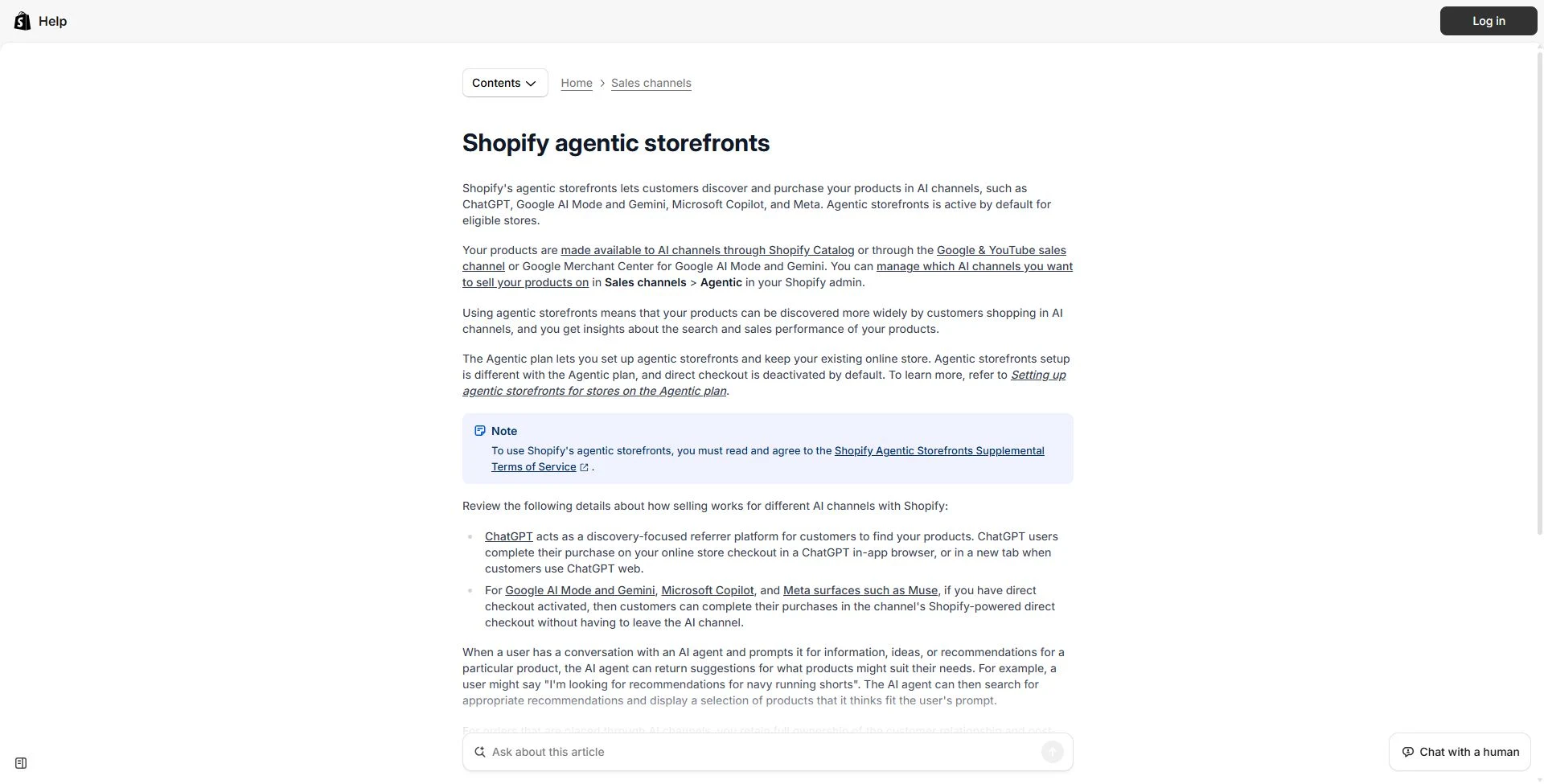
Shopify’s help page explains how product discovery and checkout differ by AI channel. This is public documentation, not a screenshot from a tested merchant account.
Documentation screenshot: Shopify Help Center. Example screen; yours may look different.1. Check your AI sales settings
In Shopify admin, open Sales channels, then Agentic. Look for eligibility warnings and review which channels can use your products. Eligible stores can already be enrolled, so check before buying an app or paying someone to switch the same thing on. Read the channel terms before changing settings.
Look at one product you expect to sell. Is its catalog entry present? Is the right channel allowed to receive it? Save any warning and the product URL. A missing product, an unavailable checkout and a product that simply was not recommended are three different problems.
2. Make the product easy to understand
Use a clear product name. “Waterproof trail running shoe, women’s sizes 6–10” tells a shopper more than “The Explorer.” Describe the material, size, intended use and important limits. Give each option a useful name and use clear photos of the actual item.
Keep the price, stock and options correct. Check that shipping and return information is easy to find. If important details live in custom fields, review Shopify Catalog Mapping so the catalog uses the intended fields. Do not paste the same long list of search terms into every description.
3. Know where the customer will pay
ChatGPT: Shopify’s standard channel helps people find products, then sends them to your store checkout. The current requirements include selling to US customers, eligible products and completed store policies. Your business can be based outside the US.
Gemini and Google AI Mode: product information comes through Google Merchant Center, often using Shopify’s Google & YouTube channel. Direct checkout currently requires a US-based store selling to US customers, among other requirements. It is still rolling out. Discovery and direct checkout are different checks.
Microsoft Copilot: Shopify supports product discovery and, where enabled and supported, checkout inside the AI channel. Check the current channel requirements in your admin. Do not assume a feature available in one assistant is available in every other one.
Claude: Shopify’s Shop connector lets shoppers search for products and move to checkout through Shop.app. It requires sign-in. This is a shopper connection; it is different from the Shopify connector used to manage your own store. Do not promise that every Claude conversation will display your products.
4. If your products are missing, find out why
Start with the store or product warning. Check publication status, channel access and the data source used by that platform. For Google, check Merchant Center issues as well as Shopify. A product hidden from normal search may need a different check from a rejected product feed.
For your own review, try a few realistic product searches. Record the date, country and wording. Shopify’s catalog search preview is useful, but assistants can change the order of results. One successful search is not a guarantee of future placement. A missing recommendation alone is not proof that the setup is broken.
5. Check visits and orders separately
In Sales channels → Agentic, choose a date range and review the available channel reports for visits, orders and sales. A visit means someone reached your store; an order means they bought. Keep those numbers separate when judging whether the channel is helping.
Do not expect every purchase inside an AI channel to behave like a normal website visit in GA4. Shopify says Google AI Mode and Gemini direct checkout does not fire Google Analytics or standard custom client-side pixels. Compare the actual checkout path with Shopify’s order reports before calling a missing GA4 purchase a tracking fault.
What to ask the freelancer to do
- Check eligibility and the chosen AI sales channels
- Fix agreed product details or feed errors
- Check a small sample of products and checkout paths
- Show where AI visits and orders are reported
Questions to ask before hiring
- Which channels and US eligibility checks does your quote cover?
- Will you fix the actual product data or just write a report?
- What can you test without promising an AI recommendation?
Red flags
- Guarantees a top spot in ChatGPT or a set number of orders
- Sells an extra app before checking the built-in settings
- Treats a search preview as proof of a live recommendation
Agree what the job includes
- Choose the AI channels and a small sample of products before work starts. Agree whether the job covers catalog settings, Google feed issues or product copy.
- Ask for the cause of each confirmed issue and the changes needed. Try changes on the sample before applying them across the catalog.
- Agree the handover: changed fields, remaining warnings and how you can check the reports later.
What to send the freelancer
- Share product URLs, redacted warnings, target US shipping areas and the channels you want checked.
- List feed apps, custom product fields and any checkout features your business depends on. Invite access only where needed.
- Save an export or other suitable backup before bulk edits. Agree who approves changes to prices, stock or channel settings.
How to check the work is done
- The agreed product sample has correct names, options, images, prices and availability in the checked source.
- Confirmed errors are fixed or explained with a clear next step. The tested checkout paths and any unsupported features are recorded.
- You receive before-and-after notes and can find the relevant Shopify reports. AI placement, orders and future sales are not promised.
What may cost extra
- An entire catalog rewrite, custom feed development and paid apps need a separate quote.
- Running ads and repairing unrelated GA4 tracking are separate jobs.
Sources checked 23 October 2026
Use this guide to agree the work and check the result.
Common questions
Do I need an extra app to make Shopify AI friendly?
Not automatically. Check Shopify’s built-in Agentic settings and the data source for your chosen channel first. A paid app should solve a named problem that your existing setup cannot handle.
Will better product details guarantee a ChatGPT recommendation?
No. Accurate details help make a product available and understandable. The assistant still chooses which products to show for each request.
Does this replace Shopify SEO?
No. This guide covers AI shopping channels and product data. Keep your normal search pages useful too. Google web search, Merchant Center and AI assistants are different routes to a customer.
Can Claude recommend Shopify products?
Yes. The Shop connector made by Shopify supports product searches and checkout through Shop.app. The shopper needs to connect and sign in. That is separate from the merchant tools used to run a store.
More help: Source 1 · Source 2 · Source 3 · Source 4 · Source 5 · Source 6
Build my freelancer brief
Answer a few questions to make a clear job description you can send to a freelancer.