 Shopify
Shopify Customer Login Not Working? Start Here
Separate a broken account link from a missing sign-in code or an old account setup. Check the customer path before changing your theme.
First identify the account system your store uses. Shopify’s current customer accounts use an emailed one-time code, while older account setups can behave differently. A missing password box is not automatically a fault. Follow the account link from the live store and note where the shopper gets stuck: opening the page, receiving the code or seeing the right orders after signing in.
Things to check first
- Check the account settings and the destination of the live store’s sign-in link. An old theme link or app can still send shoppers to an older account path.
- Use an address you control for a test. If the code is missing, check the address, junk folder and mailbox rules without repeatedly requesting codes for a real customer.
- Test in a fresh browser session and on a phone. Record whether the page opens, accepts the code and shows the test customer’s expected orders.
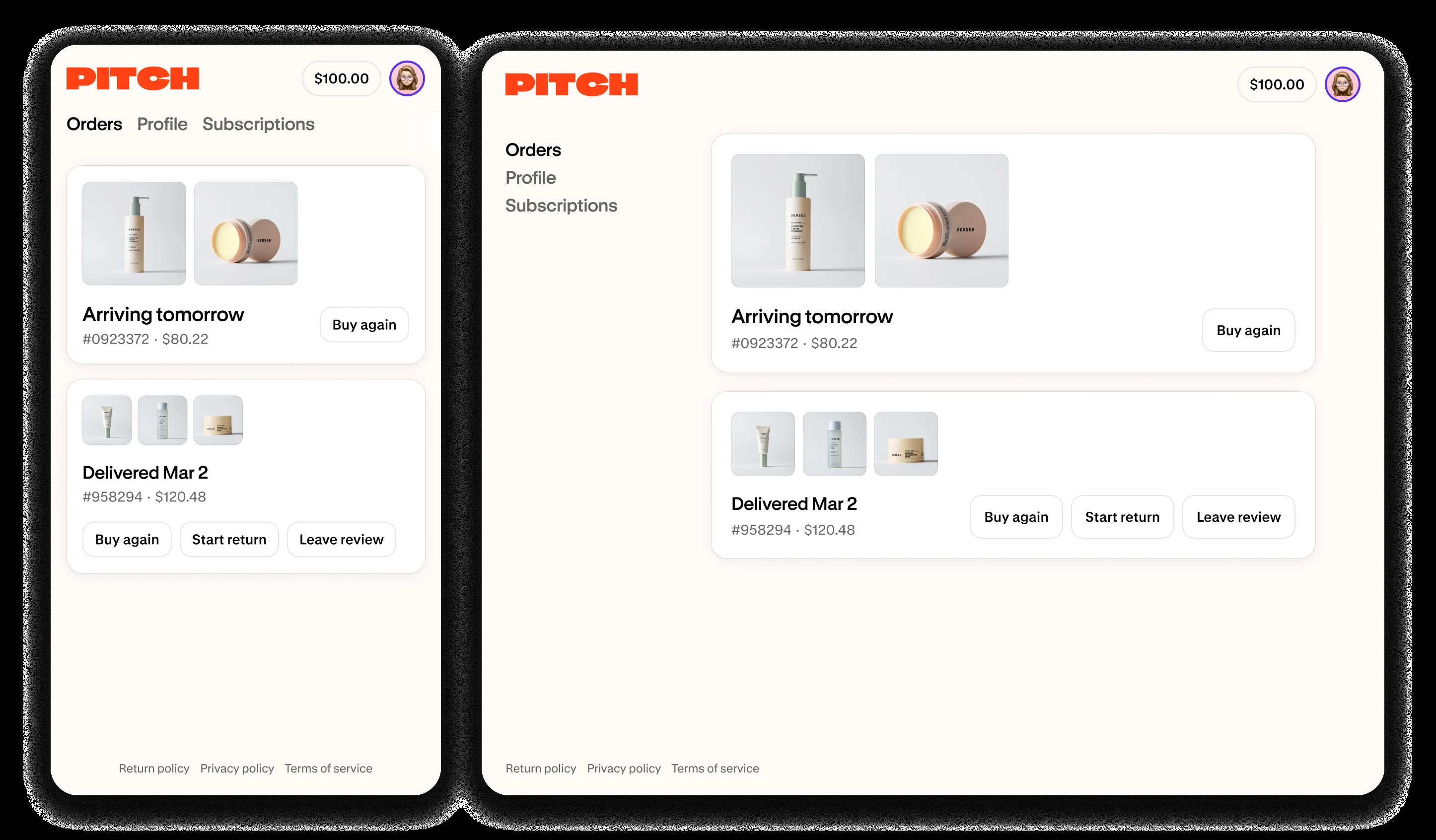
Official Shopify example of current customer account pages. Check the sign-in path separately from the order page a customer reaches afterwards.
Screenshot: Shopify. Example screen; yours may look different.What to ask the freelancer to do
- Identify the account version and failing step
- Check theme links and account-related apps
- Repair the agreed link or custom code
- Test sign-in and the expected account pages
Questions to ask before hiring
- Is the link broken or is Shopify’s sign-in step failing?
- Does the problem affect everyone or one mailbox?
- Will existing order and subscription links still work?
Red flags
- Asks for customers’ one-time sign-in codes
- Changes account systems without checking connected apps
- Treats a missing password field as proof of a bug
Agree what the job includes
- Write down one complete test path from the header’s account link to the order page. Ask the specialist to say which part they control. They can repair your theme or app links, but they cannot promise to fix every failure inside a hosted platform sign-in service.
- List the account features customers need, such as order history, returns or subscription management. A link that opens a login screen is only the start of the test. Confirm the shopper can reach the agreed feature after signing in.
- If an upgrade from older accounts is proposed, check app support and existing links first. It may be a sensible separate project, but it should not be slipped into a small bug fix. The handover should name the account setup and explain any links changed.
What to send the freelancer
- Share the public account link, device, browser and exact error. Use a test customer with no private order history.
- List subscription, returns, rewards and account-page apps that add links or change the account experience.
- Save the live theme and account settings. Agree how the developer will test without accessing real customers’ codes or accounts.
How to check the work is done
- The live header and agreed account links open the correct sign-in page on phone and desktop.
- The test customer can sign in and reach the expected account feature without an incorrect redirect.
- Other account-linked features still work, and any platform or mailbox issue is documented for support.
What may cost extra
- Merging customer profiles, moving accounts and building a new account experience are separate tasks.
- A theme developer cannot guarantee delivery of every sign-in email or bypass platform account checks.
Common questions
Why is there no password box on Shopify customer login?
Current customer accounts can use a one-time email code instead of a password. Check your store’s account setup before treating the different screen as an error.
Can a freelancer fix a code that never arrives?
They can help identify a broken link or mailbox issue. If Shopify’s hosted sign-in service is the cause, the store owner may need Shopify support. Never share a real customer’s sign-in code.
More help: Source 1
Find help on Fiverr
Ready to hand it over? This freelancer offers help with the job covered in this guide. Look at their work and send them your brief to get a quote.
A. Bhatti
@bhattibhai86 · FiverrShopify account-link and theme repairs
Bhatti offers Shopify theme and custom-code work. Consider this option for a confirmed broken account button, redirect or custom link. A failure inside Shopify’s hosted sign-in service may need Shopify support instead.
Before you hire: Identify the failing step before ordering. Ask him to preserve order and subscription links, and use a test customer rather than anyone’s real sign-in code.
View service on Fiverr ↗Listing checked 2026-10-23. We have not hired this freelancer or tested their work.
Build my freelancer brief
Answer a few questions to make a clear job description you can send to a freelancer.