 Shopify
Shopify Store Search Not Finding Products?
Check missing products, search settings and the search box itself. Separate a store-search fault from a page that is missing from Google.
Start by searching for one known product on your own store. If its direct product page is also unavailable, check the product’s publication and availability first. If the page opens but search cannot find it, inspect search settings and the theme. Search inside the shop is separate from Google: changing your sitemap will not repair a broken search box on the storefront.
Things to check first
- Open the product directly and check that it is available on the online store. Test the exact product name before trying a broad or misspelled search.
- Compare the live suggestion dropdown with the full results page. A theme or app can handle those two parts differently.
- Check Search and Discovery settings and any separate search app. Note filters, hidden products or custom rules that could explain the missing result.
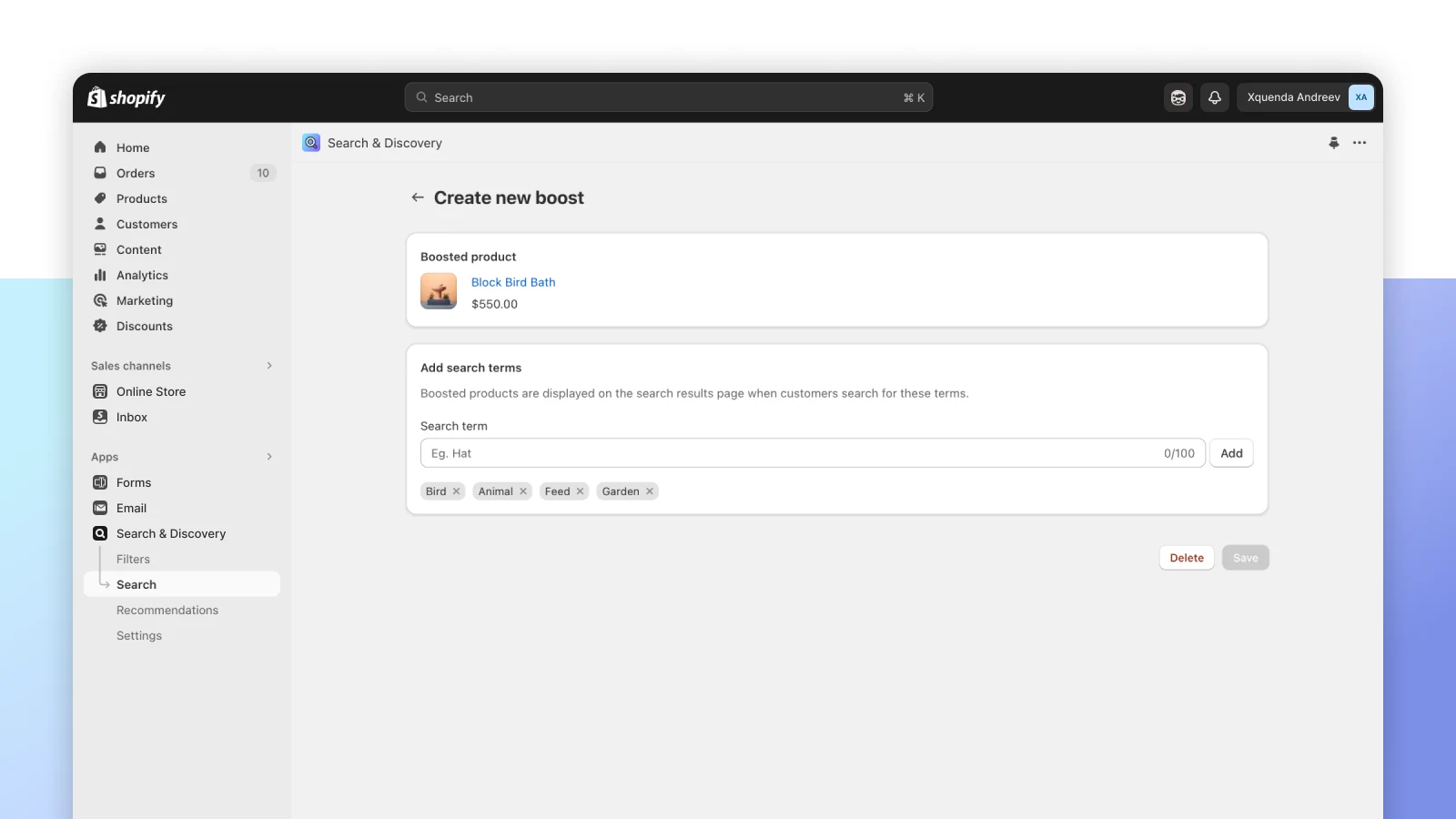
Official Search and Discovery example showing a product boost for chosen search terms. Product boosts are a separate choice from repairing missing results.
Screenshot: Shopify. Example screen; yours may look different.What to ask the freelancer to do
- Reproduce the missing search result
- Check product availability and search settings
- Repair the agreed search box or theme fault
- Test exact names, broad terms and empty results
Questions to ask before hiring
- Does the fault affect suggestions, full results or both?
- Are results missing or just sorted badly?
- Does the quote cover our search app and product filters?
Red flags
- Promises first place in Google by changing store search
- Installs a paid search app before checking the fault
- Makes every product appear for every search
Agree what the job includes
- Agree a short list of searches and the products you expect each to find. Include an exact name, an ordinary customer phrase and a search that should return nothing. The specialist should explain whether the issue is missing data, a setting or broken page code.
- Check the full path from typing to choosing a result. Suggestions, collection filters and the results page may use different templates or apps. A repair that works on a desktop button can still fail when a shopper uses the phone keyboard.
- Separate missing results from merchandising choices. Promoting one product for a phrase can be useful, but it is not proof that the original search fault was fixed. Ask for the confirmed cause and keep any changes to ranking, synonyms or filters clearly listed.
What to send the freelancer
- Send example search terms, expected product links and screenshots of the current results.
- Name the theme, search app and any recent filter or product-visibility change. Include the affected language or market if relevant.
- Save theme and app settings, then agree a small test list that can be repeated after the repair.
How to check the work is done
- The agreed products can be found through the intended search path, with correct links and images.
- Phone suggestions, full results and agreed filters work without hiding unrelated valid products.
- A no-match search gives a useful message, and the handover records custom rules and any remaining limits.
What may cost extra
- Google rankings, a full product-description rewrite and a new search platform need separate work.
- Paid search-app fees and custom recommendation features are excluded unless specifically agreed.
Common questions
Is Shopify store search the same as Google search?
No. Store search runs inside your shop. Google finds pages across the web. A missing storefront result needs product, app or theme checks rather than a Google indexing request.
Should I install Search and Discovery to fix the box?
The app can help manage filters, recommendations and search choices. First establish whether the fault is a product setting, an app conflict or broken theme code. Adding an app may not fix that cause.
More help: Source 1
Find help on Fiverr
Ready to hand it over? This freelancer offers help with the job covered in this guide. Look at their work and send them your brief to get a quote.
A. Bhatti
@bhattibhai86 · FiverrShopify search-box and theme repairs
Bhatti offers Shopify theme bug fixes and custom features. This is an option when a search box or results template is broken after product and search settings have been checked.
Before you hire: Ask whether your search app is covered. Agree tests for phone suggestions, full results and missing products, and approve any new app fee separately.
View service on Fiverr ↗Listing checked 2026-10-23. We have not hired this freelancer or tested their work.
Build my freelancer brief
Answer a few questions to make a clear job description you can send to a freelancer.