 WordPress
WordPress Hacked? What to Do Before Paying for Cleanup
A strange redirect, unknown admin or hosting warning needs a careful check. Find out what to save, who to contact and what a WordPress cleanup should include.
If your WordPress site sends visitors to another website, shows pages you did not publish or has a new admin you do not recognise, contact your host. A broken plugin can also cause odd behaviour, so record the symptoms before deciding it is malware. Malware is unwanted code that can change your site or misuse its access. A proper cleanup finds what changed and how it got in.
Things to check first
- Note what you saw, the affected address and the time. Save the host's warning and a screenshot without opening suspicious downloads. A scanner's result is a clue to investigate, not a complete explanation.
- Ask the host to preserve useful logs and a copy of the affected files and database. If the site is harming visitors, agree how to restrict access while it is checked. Keep that incident copy separate from a backup you might restore.
- List recent updates, new users and every site on the same hosting account. Ask whether other sites or the hosting account may be affected. Do not start deleting files or restoring an unknown backup before someone checks what needs to be kept.
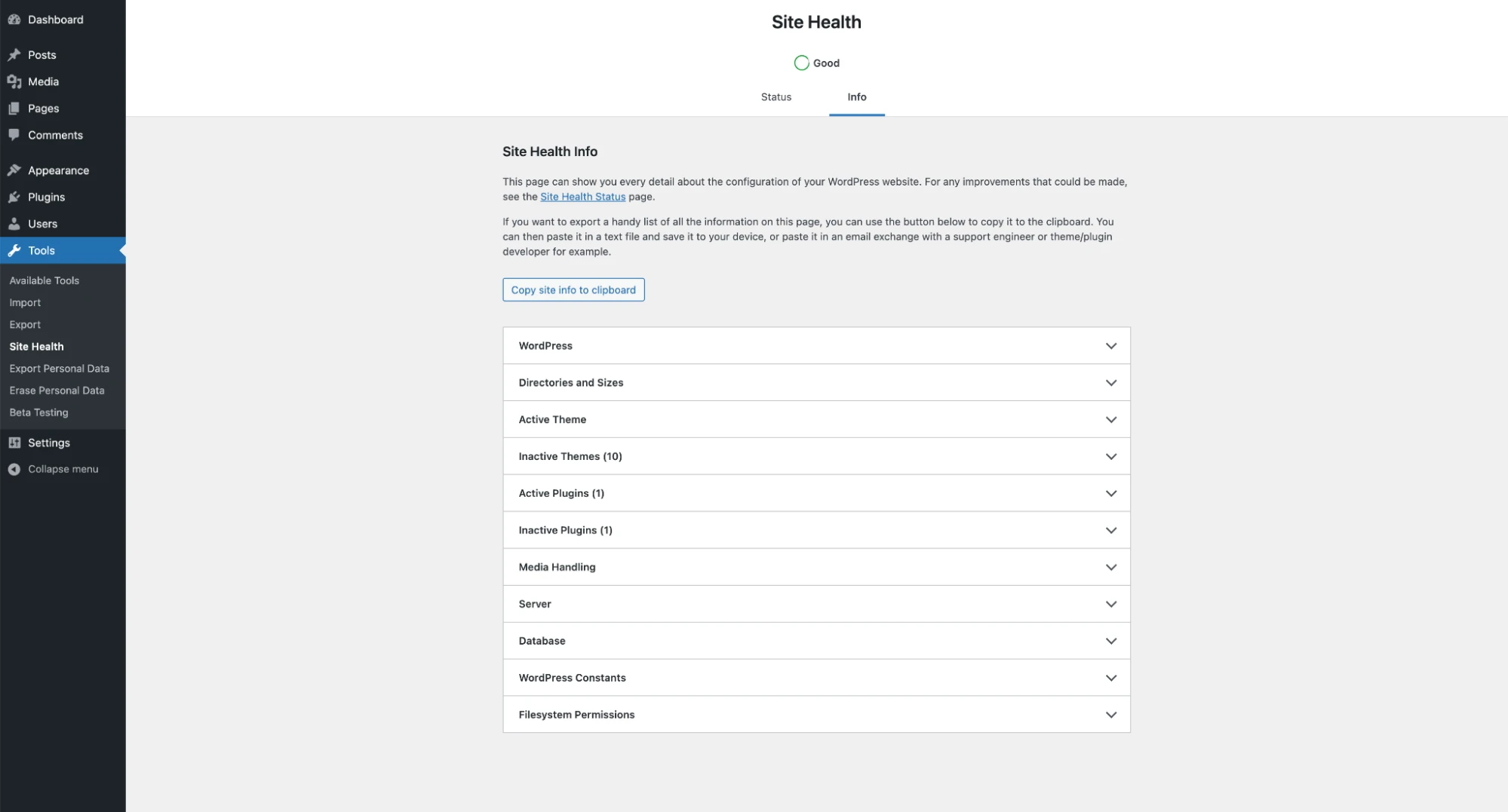
Site Health can help describe a WordPress setup, but it is not proof that a site is free of malware. Ask for confirmed file, database and account findings as well as normal site tests.
Screenshot: WordPress documentation. Example screen; yours may look different.What to ask the freelancer to do
- Confirm the unwanted changes and affected sites
- Agree containment and saved incident copies
- Clean confirmed findings and address the cause
- Test key pages and give a follow-up report
Questions to ask before hiring
- Will you check files, the database and admin accounts?
- How will you investigate how the unwanted code got in?
- What follow-up is included if the same problem returns?
Red flags
- Deletes everything flagged without checking it
- Calls one clean scan proof that the site is safe
- Promises a permanent cure without checking the entry point
Agree what the job includes
- Agree which sites, folders and databases the price covers. Ask for a list of confirmed findings and the changes made. A cleanup that checks only the visible homepage can miss an altered plugin, database entry or unauthorised account.
- Repair or replace affected files from trusted sources, remove confirmed unwanted changes and fix the known way back in. Update or replace vulnerable components as agreed. Have the owner rotate affected access details securely after containment, including hosting access where needed.
- Check the restored site with more than one kind of evidence: files, database, accounts, scan findings and normal customer tasks. A clean scan alone cannot prove that nothing remains. If the entry point cannot be established, the handover must say so and describe the follow-up checks.
What to send the freelancer
- Send the symptoms, host name, recent changes and any previous cleanup report. Keep passwords and access keys out of the brief.
- Give the specialist access through the host's approved method, limited to the agreed work. Confirm where incident copies and clean backups will be stored.
- List forms, checkout and other important tasks to test after cleanup. Agree downtime, who can restore a backup and who will watch for repeat problems.
How to check the work is done
- The confirmed malicious changes and unauthorised access are addressed. You receive a clear findings list, changes made and any unresolved cause.
- The agreed pages, forms and checkout work. Follow-up checks do not show the same infection returning during the agreed review period.
- The handover names replaced components, access changes and backup steps. Any request to remove a search or browser warning is recorded separately from the cleanup itself.
What may cost extra
- A platform warning may take time to review; the freelancer cannot guarantee an external service removes it immediately.
- Recovering stolen data, a wider incident investigation and repairing other sites on the hosting account may need separate specialist work.
Sources checked 23 October 2026
Use this guide to agree the work and check the result.
Common questions
Can I just restore yesterday's backup?
Only after checking that it predates the problem and that the way back in is addressed. A recent backup may already contain unwanted code. Restoring files alone can also leave an affected database or account unchanged.
Is every strange redirect malware?
No. A plugin, redirect rule or hosting setting can also send visitors to the wrong place. Save an example and ask the host or specialist to confirm the cause before paying for a cleanup.
More help: Source 1
Find help on Fiverr
Ready to hand it over? This freelancer offers help with the job covered in this guide. Look at their work and send them your brief to get a quote.
Salauddin Khan
@wordpress_raja · FiverrWordPress malware cleanup
This listing offers WordPress malware cleanup and security fixes. Confirm the host, files, database and accounts covered. Its short delivery headline is not a promise about your incident or an external warning review.
The listing showed 169 reviews when checked. Reviews cover a range of jobs; we have not independently tested this seller's work.
Before you hire: Ask for confirmed findings, the suspected entry point and follow-up checks. Agree backups and important site tests before deleting files.
View service on Fiverr ↗Listing checked 2026-10-23. We have not hired this freelancer or tested their work.
Build my freelancer brief
Answer a few questions to make a clear job description you can send to a freelancer.